
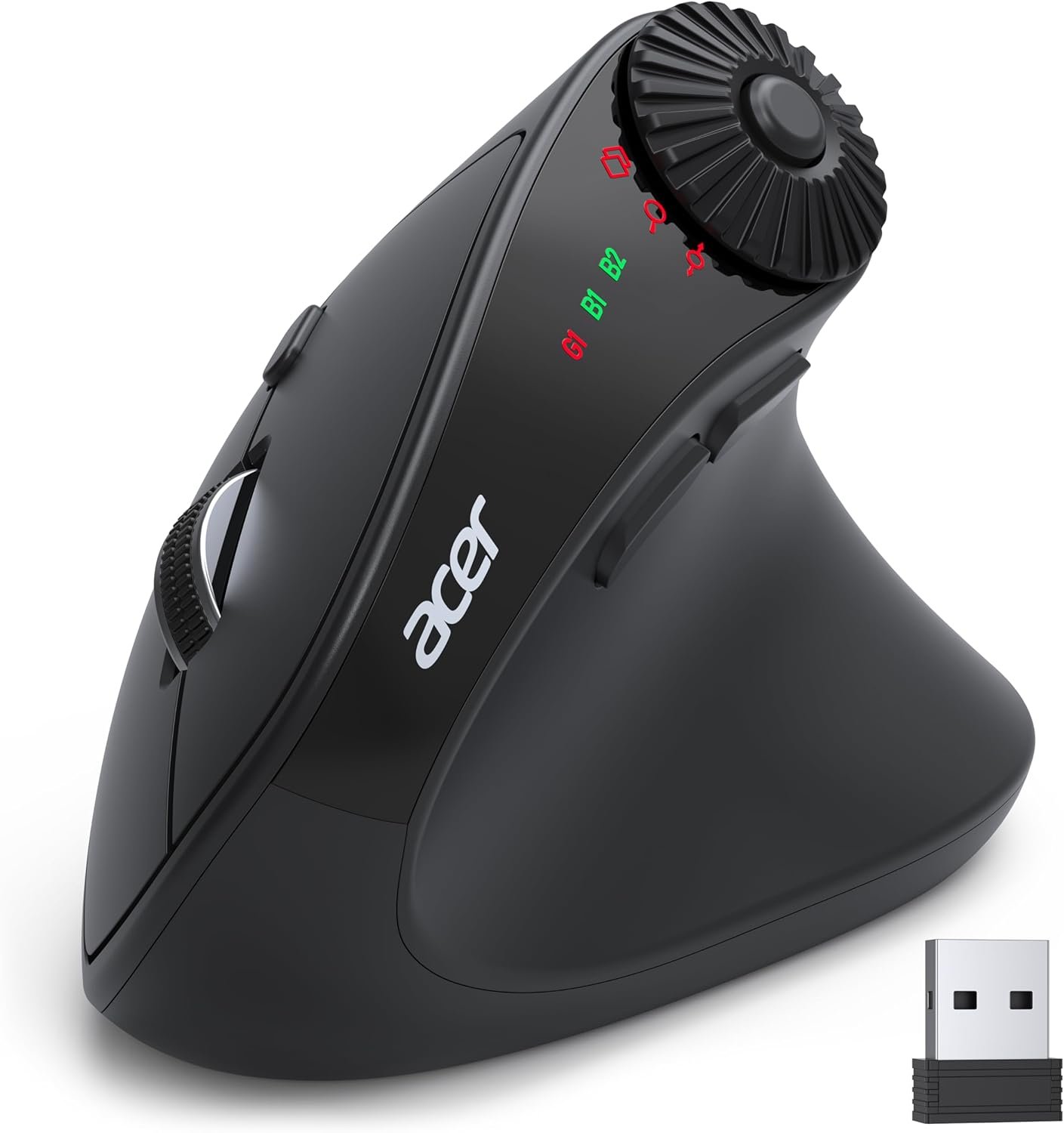


acer Ergonomic Mouse Wireless with Side Scroll Wheel, Bluetooth Mouse for Laptop(BT5.2+2.4GHz), Office Vertical Computer Mice, Small to Medium Sized Hands Ergo Mice, 8 Buttons for PC and Desktop
Original price was: $32.99.$25.99Current price is: $25.99.



From the brand

Acer Dual Mode Gaming Mouse
Acer Mouse
Acer Wireless Mice

【One Mouse for 3 Devices】This dual-mode bluetooth mouse switch between Bluetooth and 2.4G modes by double-clicking the DPI button (G1, B1, B2), allowing seamless switching between three devices. Perfect for multi-device workflows across computer, laptop, and tablet. 📌Note: To conserve battery, the mouse sleeps after 10 minutes and wake with a double click.
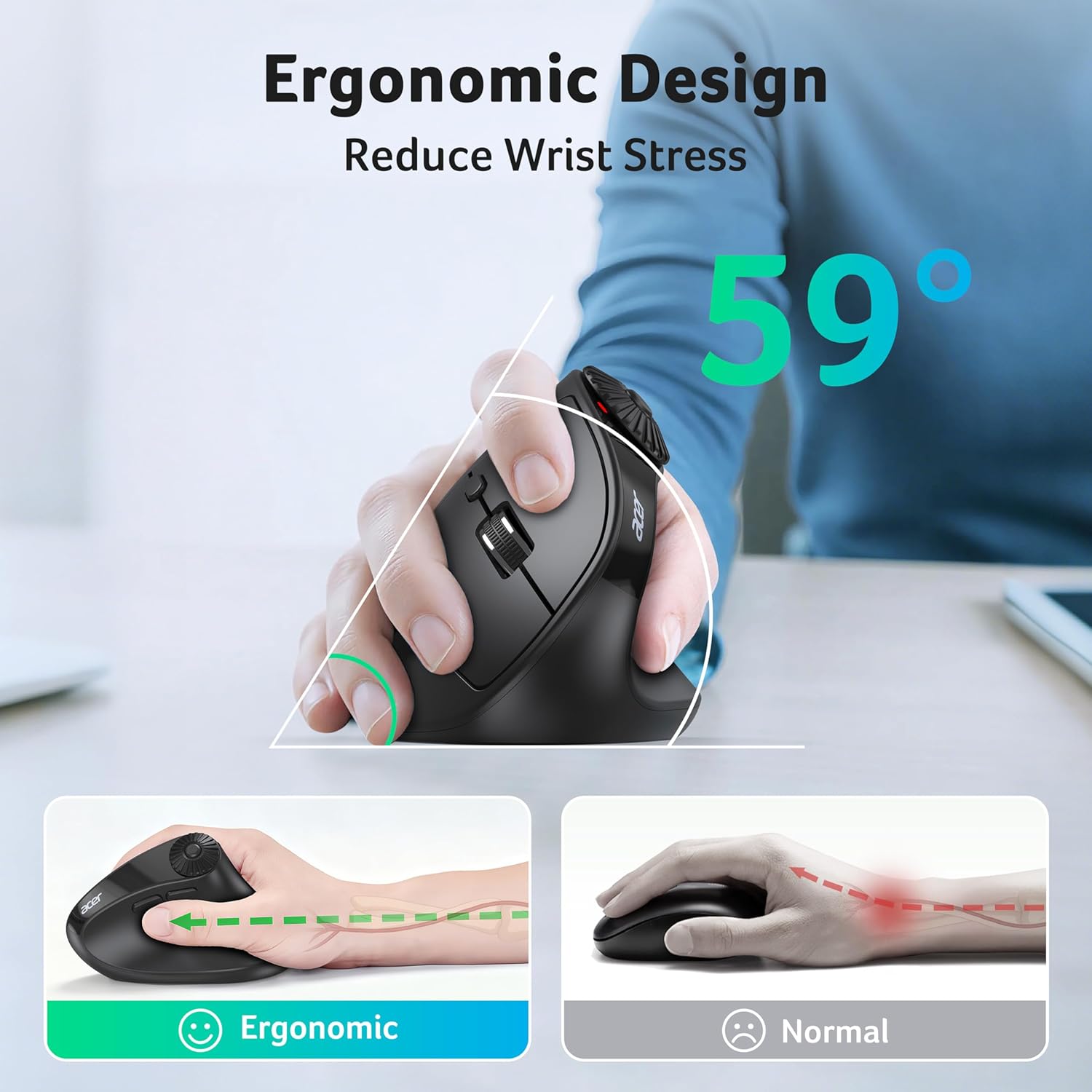
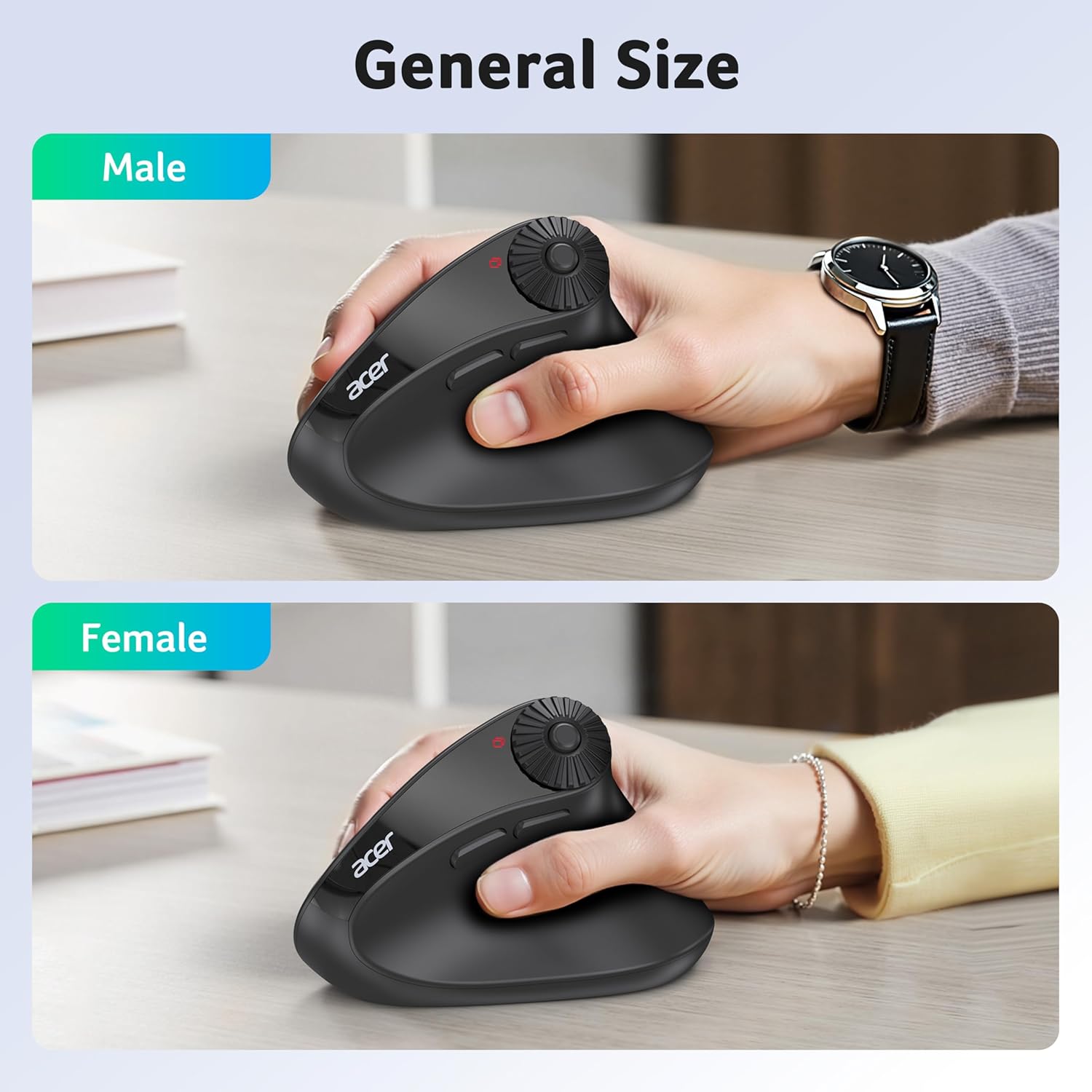
【59° Ergonomic Vertical Design】Designed with a 59° vertical tilt, this ergonomic mouse wireless positions your hand in a natural handshake posture. The computer mouse maintains neutral wrist and arm alignment to reduce pressure and pain, ensuring smoother movement, less strain, and lasting comfort during extended use. 📌 𝐍𝐎𝐓𝐄: 𝐈𝐝𝐞𝐚𝐥 𝐟𝐨𝐫 𝐒𝐦𝐚𝐥𝐥 𝐭𝐨 𝐌𝐞𝐝𝐢𝐮𝐦 𝐡𝐚𝐧𝐝𝐬.
【3-in-1 Side Scroll Wheel】This mouse for laptop features a multi-function side scroll wheel with a central button. A single-click allows for instant switching between three fixed functions: Only for Window Toggle, Zoom In/Out, and Horizontal Scrolling. This versatile control enhances multitasking fluidity and significantly boosts office productivity. 📌Place your thumb carefully to avoid accidental scrolling.
【4-Level DPI Control】This USB mouse offers 4 adjustable DPI levels (1200/2400/3200/4000), enabling precise cursor control for detailed design tasks. Easily switch sensitivity to match your workflow and enhance your productivity on the go.
【One-Click Workflow Efficiency】This cordless mouse features convenient forward/back buttons for swift browsing and seamless folder navigation. Effortlessly toggle between tasks with a single click to optimize your workflow.
NOTE: 1. 𝐍𝐎𝐓 𝐚 𝐫𝐞𝐜𝐡𝐚𝐫𝐠𝐞𝐚𝐛𝐥𝐞 𝐦𝐨𝐮𝐬𝐞. 2. The AAA batteries are not included. 3. The USB receiver stores inside the battery compartment.
13 reviews for acer Ergonomic Mouse Wireless with Side Scroll Wheel, Bluetooth Mouse for Laptop(BT5.2+2.4GHz), Office Vertical Computer Mice, Small to Medium Sized Hands Ergo Mice, 8 Buttons for PC and Desktop


Reinlore –
Decent mouse for light gaming, and general PC use.
Good mouse, connected to Bluetooth on both my Cachyos PC’s one on each profile. wish the DPI could go slightly lower, but you are able to adjust the software cursor in addition to running it on the lowest dpi to get it where you’d want. I thought the vertical mouse would be better than standard ergonomic mice I’ve tried, I wear a size large glove and my ring finger and pinky sit on what ever flat surface I’m using. 4 stars since it doesn’t have it’s own rechargeable battery, takes AAA’s.
Sanji –
Overall good.
Good mouse. It’s comfortable. I have pretty big hands I would think. Definitely not small and a little bit larger than medium. And I’d say this mouse is actually pretty comfy to use consistently. The reason I did give it four stars however out of five is just one very small annoyance. That is the mouse seems to like have some sort of like sleep mode where if I haven’t used it for a few minutes and like say I try to go scroll. It won’t start scrolling like I have to like click it in order to like wake it up or reactivate it and sometimes this will like click the video or whatever I’m watching and just kind of. It’s a little distracting and and it can actually like sort of interrupt my workflow at times. But other than that I do it. Enjoy the mouse. It’s it’s a decent buy. I don’t regret it.
Melanie Gibson-Zacharias –
Comfortable, affordable, great function mouse!
So far, I love this mouse! It is very comfortable for me to use. The Dpi setting is very easy to navigate between. I didn’t realize that one of the features was for horizontal scrolling (I use spreadsheets a lot for work and this is a BIG plus for me!!). Overall, for someone who works on a computer all day, everyday, it is very comfortable and the functions are a plus for me.
ShadowRavenAMP –
Middle Ground for Gamers who want Ergonomics without hefty price tag
If youve never used a mouse like this, I believe after a day you’ll probably like it. I like not having my wrist curled as it would be on a standard mouse. This mouse is lightweight and better for your wrists. I’d argue its nasty as fast if not faster as any other wireless mouse at there. I’ve used it for gaming without issue. I’m not a competitive gamer though but the disclaimer is generally wired always beats wireless in that realm. Sometimes I like to lift the mouse, but end up changing tabs while I’m getting used to the new layout. The circular knob on the top will change tabs for you. It’s super easy to switch between computers too. Two clicks on the mode button and that’s it. I can’t speak on longevity, but I’d imagine it’ll last as long as we take care of it. Bluetooth is strong enough to be a 10 feet from the receiver – helpful for me as I use my TV as my computer monitor.
Jen M. –
Excellent features, but too big to be comfortable for me
Personally, this mouse is uncomfortable in my hand. Other reviews said the mouse was too small for their hands, but it wound up being too big for me. The heel of my palm cramps after using the mouse for a short while. Ergonomic designs can take some getting used to, but I haven’t found myself getting any more comfortable after multiple sessions.As far as positives, I love the side scroll wheel on this mouse. Having 3 connections options (wireless USB connection, plus 2 different Bluetooth channels) is a great feature. I wish it was the right size for my hands, because I love the features this mouse comes with. Unfortunately I can’t give this mouse more than 3 stars because of the cramping it causes me. Your mileage may vary.
Dacadman –
Awesome ergonomic mouse
Light weight, works great! As advertised.
OleSchool –
Kung fu grip
I’m about one month in and decided, I Love It. Wish i new about these years ago if they even existed.Still monitoring battery life.
Espo –
HIGH HOPES, BUT D@?%
I really had high hopes for this mouse. I knew going into it was going to have an adjustment period because of the unique stance it has. But the fact is that it has already stopped working and burns up batteries. Two flaws that warrent a single star. The cheap Amazon mouse I bought as a back up uses less battery and is still working but I digress. Im the type who is all for new kicks aka a new mouse trap no pun intended. I had issues with the button configurations, the way they overall function. I love the screen flip and shifting left to right with ease but dang how many times must I push a button or two to get its operation correct especially with multiple screens. I dont mean to put them out I can dig it, but here we are I can’t get used to it, nor accommodate if the thing stops working in less then 30 days. The good intention was there but we all know where that goes. If the maker reads this email me I have some ideas that might turn this thing around. All I got could of been more starts but it broke so…
Cliente Amazon –
Bello e comodo da usare, le funzioni con la rotellina sono davvero intuitive e funzionali!Carica a pile super approvata per me, un po’ vecchio stile invece del litio..
Pau –
Este ratón va de lujo. Y descansa la muñeca, además d la estética muy acertada y con la calidad y fiabilidad d ACER d siempre. ✌️
Rafael –
So I bought this item a while ago and have been using it since. I do like it quite a bit, specially the extra functionality of the side wheel and the ease to change between usb dongle and bluetooth connections without the need to turn the mouse to press a button below, as many other models do. I do wish it was a bit heavier though, but that is a personal preference.I do prefer replaceable batteries (and was one of the reasons I bought it) is because I can quickly get the mouse back to work by just simply swapping them, no time wasted in charging. I have seen other reviews complain that they prefer internal batteries, even calling it a “deal breaker”; this raises two questions for me: 1) why did you bought it in the first place if you prefer that? that is on you for not reading the product description properly. 2) When the internal batteries die (and they always do) the mouse will be trash; you don’t have such issue with replaceable batteries, thus extending the service life of the mouse for much longer while reducing e-waste.Another thing worth mentioning is the surprisingly good customer service of Acer. My mouse came with a glitch and I contacted the email give in the user’s manual. I was not expecting any answer as many big companies never care, specially for something as small as a mouse. However I got a quick response and a pleasant exchange with them. They confirmed the issue and are on the way to sort it out, hopefully soon.In brief, a nice mouse with functionalities that streamline my work, and good customer service. Recommended.PS: the issue was sorted out, great customer service from Acer! keep it up!
Mohammed Magsi –
Easy on the hand if you have used vertical before. Otherwise give yourself couple of days.It take AAA battery but lasts. I use it for work and home so 12hrs and still haven’t changed the battery.Definitely worth the price.Update: Have been using it for over a month and it start playing up enough for me to replace it. Better look at something else if you want it to last longer.
Client d’Amazon –
Excellent produit. Très bonne qualité.Pas fait pour les grandes mains.