


Google TV Streamer 4K – Fast Streaming Entertainment on Your TV with Voice Search Remote – Watch Movies, Shows, Live TV, and Netflix in 4K HDR – Smart Home Control – 32 GB of Storage – Porcelain
Original price was: $99.99.$94.98Current price is: $94.98.




The Google TV Streamer (4K) delivers your favorite entertainment quickly, easily, and personalized to you.[1,2] Get fast performance, responsive navigation, and tailored recommendations from Google’s most advanced streamer yet. And all your content is organized in one place – so you’ll do a lot less searching and way more watching.
The Google TV Streamer (4K) delivers your favorite entertainment quickly, easily, and personalized to you[1,2]
HDMI 2.1 cable required (sold separately)
See movies and TV shows from all your services right from your home screen[2]; and find new things to watch with tailored recommendations for everyone in your home based on their interests and viewing habits
Watch live TV and access over 800 free channels from Pluto TV, Tubi, and more[3]; if you find an interesting show or movie on your TV, mobile app, or Google search, you can easily add it to your watchlist, so it’s ready when you are[2]
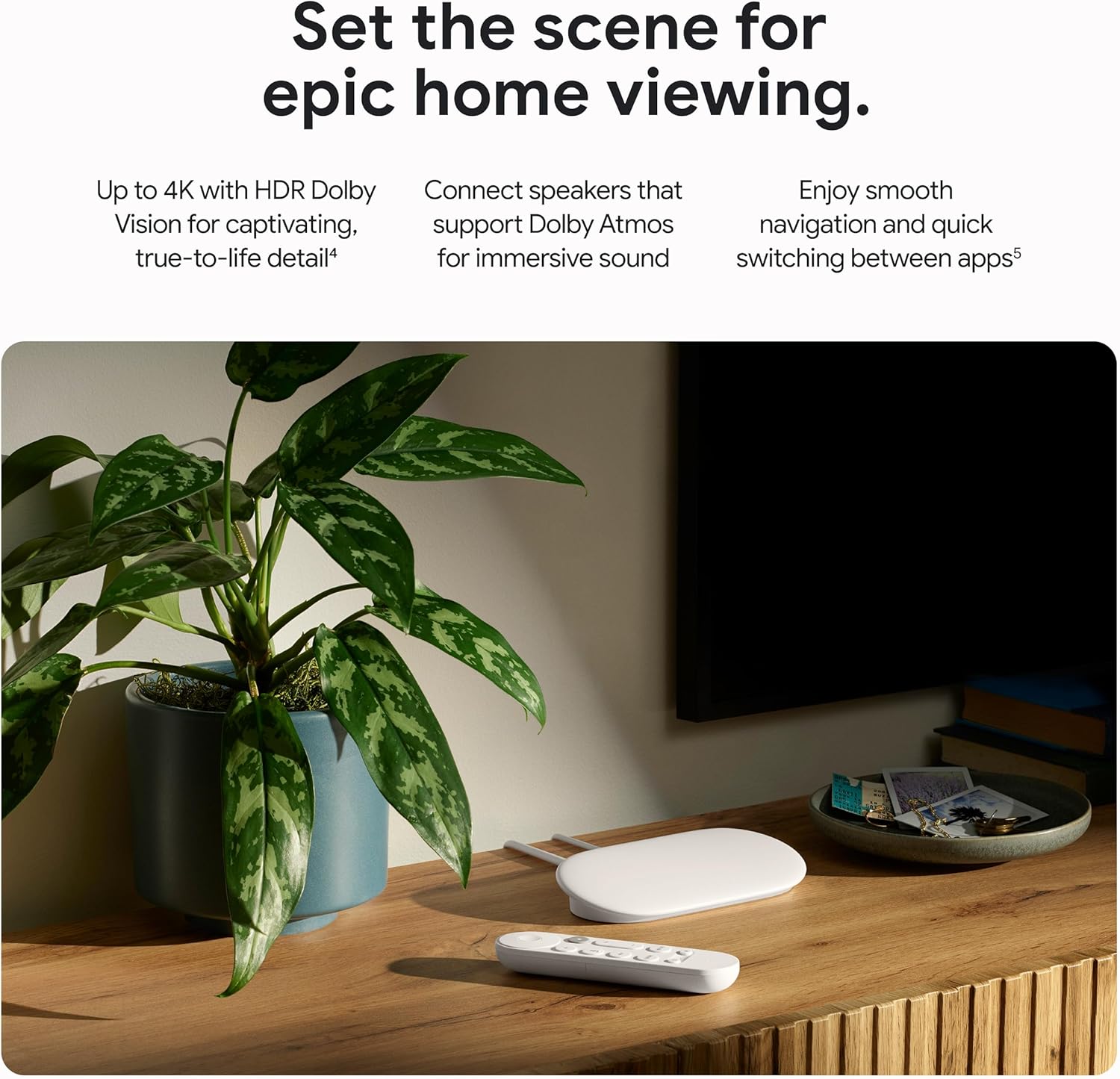
Up to 4K HDR with Dolby Vision delivers captivating, true-to-life detail[4]; and you can connect speakers that support Dolby Atmos for more immersive 3D sound
The Google TV Streamer (4K) has a 22% faster processor and twice the memory of the previous generation for smooth navigation and quick switching between apps[5]; with 32 GB of storage, you can install more of your favorite apps[6,2]
With the redesigned remote, use your voice to find shows, get answers, and control smart home devices[7,8]; the customizable button lets you open your favorite app or the home panel in one click; and easily find your lost remote by making it ring
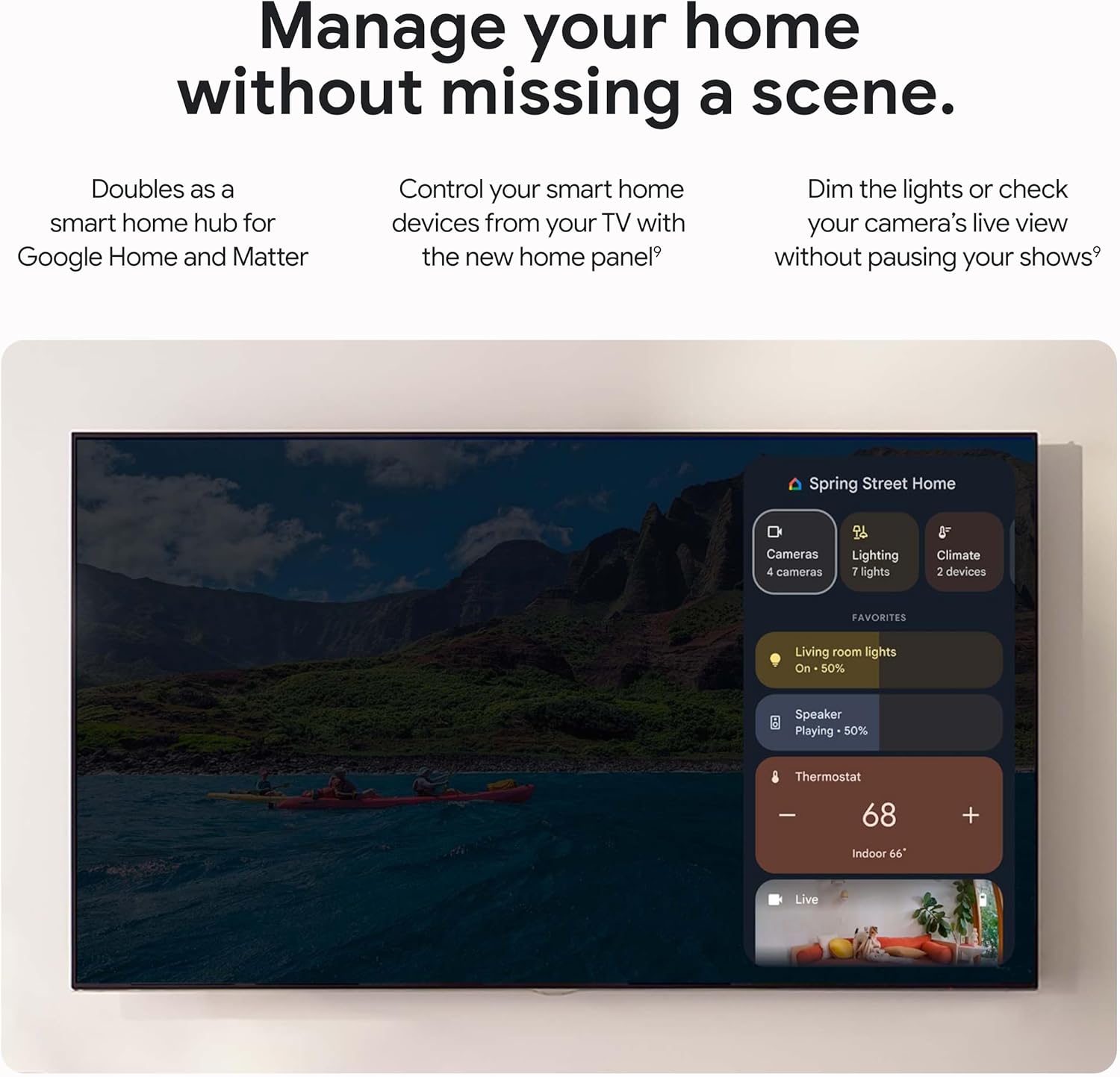
It’s even easier to control your smart home with the new home panel; dim the lights or check a camera’s live view without pausing your shows[9]
Effortlessly cast content from multiple compatible Android and iOS apps on your phone, tablet, or laptop right to your Google TV Streamer (4K)[1]
Please refer to the “Legal” section below for all applicable legal disclaimers denoted by the bracketed numbers in the preceding bullet points (e.g., [1], [2], etc.)
10 reviews for Google TV Streamer 4K – Fast Streaming Entertainment on Your TV with Voice Search Remote – Watch Movies, Shows, Live TV, and Netflix in 4K HDR – Smart Home Control – 32 GB of Storage – Porcelain


reneray –
Great modern set-top box, premium Chromecast replacement
Really great device. We are so happy that we purchased it. Our 2021 Samsung QLED has received a new lease of life. It can now accommodate more apps, including the ones you need, and will last longer. The picture quality also seems to be improved. The device doesn’t noticeably heat up, and it works quickly and smoothly.
Donald Nelson –
Free TV.
I like my Google tv streamer. It has free live tv, lots of movies and chrome cast built-in. The device’s response is pretty snappy and works perfectly well. Setup is very easy with the home app, although I prefer to use the GOOGLE TV app. Great device.
Steve –
Google TV streamer rocks!
I’ve had the Chromecast with remote since Google sent me a free one roughly 5 years ago. That one was great but I’ve been experiencing issues recently so I decided to upgrade. Given that I enjoy the Google tv experience I bought the Google streamer, which is fantastic. Lag between apps and channels no longer exists, and the upgraded hdmi port provides greater detail and screen quality. It’s a little investment, but I watch a lot of TV and this is still less than (and in my opinion better than) the apple TV streamer.
S –
Finally Replaced My Old Roku and Never Looking Back
fast and that alone makes it worth the upgrade from whatever outdated box you are currently using. I was running an old Roku that took forever to load apps and buffer content. This Google TV Streamer is a different experience entirely. Apps launch quickly, navigation is smooth, and 4K content streams without hiccups or constant buffering wheels. The interface is clean and actually makes sense. Everything is organized in a way that helps you find what you want to watch without digging through endless menus. The recommendations are decent and it pulls content from all your streaming services into one place. No more jumping between apps trying to remember where that show you wanted to watch actually lives.Picture quality is sharp and the 4K output looks great on my TV. HDR content pops the way it should and colors look accurate. If you have a nice TV, you want a streaming device that can actually take advantage of it. This one does. No point having a 4K television if your streaming box is bottlenecking the quality.The remote is simple and comfortable to hold. Voice search works well when you do not feel like typing out show names with the on screen keyboard. Just hold the button, say what you want, and it finds it. Faster than scrolling through letters one at a time.Google ecosystem integration is a plus if you use other Google services. It ties into your account and syncs nicely with everything else. Casting from your phone works seamlessly. If someone sends you a video link, you can throw it up on the TV in seconds without any complicated setup. Setup took maybe ten minutes. Plug it in, connect to wifi, sign into your accounts, and you are streaming. No technical knowledge required, no confusing configuration screens. It just works right out of the box which is exactly what you want from something like this. For anyone still using an older streaming device that feels sluggish and outdated, this is the upgrade. Fast, clean interface, great picture quality, and reliable performance. It does everything a streaming device should do and does it well. My TV finally feels like it is living up to its potential.
N. E. Dawley –
Spendy but worth it
This is my first tv streaming stick, I’m not very tech savvy, and I’ve only been using this for a month, so please take this review with these caveats in mind.I love this little unit. According to my scant research it’s more expensive compared to earlier versions of the Google Chromecast streamer and some other streamers, but for me it’s not outrageously andor prohibitively expensive. It breathes new life into my old tv and makes this purchase well worth the price. My tv is from 2007 and is 1080p hd but has no wifi. This streamer does everything I want to do well (stream YouTube, Netflix, Prime, etc.) and more. The more includes.1. Relatively easy to set up. It’s nice that Google includes a printed instruction guide. NB I use the word “guide” and not “instruction manual” because the actual instructions are literally 2 very small pages long, 1 with very limited instructions and the other with a diagram identifying the various buttons. But that’s really all you need because the set up process is pretty user-friendly.2. Remote, cursor moving, selection, and response are super fast (unlike my old streaming bluray player). Please note that I have it wired directly into my router with an ethernet cable, which to me is much better than relying on a wifi connection. I don’t know how responsive it is using wifi.3. There are 2 buttons on the remote specifically for YouTube and Netflix. This makes for quick and easy access to what for many people are the 2 most used streaming services. There is a 3rd button that is customizable, but I haven’t set it up yet.4. Zero lag when streaming, even though I have a dsl (15 mgbs) internet connection. Again, please note that this is using a wired ethernet connection between the unit and my router.5. Comes pre-installed with Google FreePlay, kind of like (very limited) cable tv for poor people because there is no monthly charge. More than a hundred free tv channels with at times admittedly out of date content, but hey it’s free. And much of the content is not out of date.6. You can add apps to the unit (unlike my old streaming bluray player). Haven’t tried deleting any. I don’t know how many apps you can add before using up the 32gb storage, but I assume it’s a lot.7. I’m sure there are other things to like about this streamer but I don’t know what they are yet.8. Nitpicks: At the present time (February 2026) this streamer is only available in the colors white and light gray. Google calls the light gray color “hazel”, which is a shade of very light green, but it looks light gray to me. Now, I actually like the light gray color, but all my other audiovisual gear is black, so it would be nice if this streamer was available in black.9. Another nitpick is that the remote does not identify itself at all, no Google tv streamer labeling or Google logo, nothing. I guess Google is quite partial to absolutely bare minimum minimalist design. My other remotes are clearly labeled with their brand AND the device they control (tv, bluray, av receiver).10. Both the voice control and voice response are super annoying to me, and they’re a bit of a pain to turn off. Took some searching to find the correct setting buried in the menu. I assume that some people like voice control and response, which is why Google included them as a feature. I wish they were easier to turn off.
ELHASSEN –
مناسب
noan –
Parfait pour des applications de télévision.
ItsAyman –
AwesomeIt’s super fast, Highly recommendedThe price is too high
Salem alameri –
لون المنتج غير عن الصوره والبائع مايقبل الاستبدال 👎
ALEJANDRO GERONIMO JIMENEZ –
Uno de los mejores productos que he adquirido