


Redragon M908 Impact RGB LED MMO Gaming Mouse with 12 Side Buttons, Optical Wired Ergonomic Mouse with Max 12,400DPI, High Precision, 18 Programmable Macro Shortcuts, Comfort Grip
Original price was: $46.99.$24.29Current price is: $24.29.


From the brand

BIG SAVE
NEW ARRIVED GEAR
Gaming Keyboard
Gaming Mice
Audio Gear
Gaming Setup

Redragon H848 Headset
Weighs only 178g (6.2 oz)
Comfortable to wear all day long!
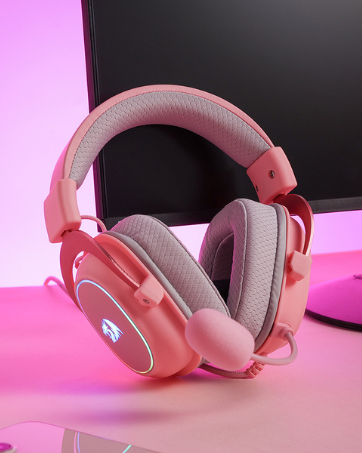
Redragon H510 RGB Series
Pink! Yes, that is PINK available now, cute & hot.
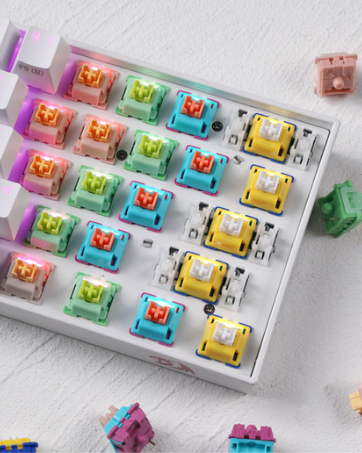
Redragon Custom Switches
6 Types Available for Any Keyboard Moding
Tactile, Linear, Silent, We Got What You Want
Professional Gaming Mouse – Redragon M908 optical gaming mouse is designed with up to 12400 DPI, 5 adjustable DPI levels (500/1000/2000/3000/6200 DPI) meet your multiple needs, either for daily work or gaming. DPI can be adjusted freely by ±100 from 200 to 12400 via software. 1000 Hz polling rate, 30G acceleration and high-precision Pixart PAW3327 Sensor giving you a greater edge over your competition.
RGB Backlight & Programmable Buttons – 16.8 million RGB LED color options (LED Backlight can be disabled). 18 programmable buttons, 5 memory profiles each with a dedicated light color for quick identification. Comes with 8-piece weight tuning set (2.4g x8), easy to change the weight to suit your games.
Comfort & Precision At Your Hands – Redragon M908 gaming mouse is an essential computer accessory for die-hard with its aggressive design for hands! You will be amazed by the unmatched comfort, lethal accuracy and killer precision of our durable, desktop and laptop pro gaming mouse!
High-end Design – Redragon M908 Mouse features 6 buttons and 12 MMO programmable side buttons. Durable smooth TEFLON feet pads for ultimate gaming control. 6ft braided-fiber cable with gold-plated USB connector ensures greater durability.
Die-hard Players Choice – Whether you are targeting, aiming, slashing or attacking, a professional gaming mouse is your basic weapon! The mouse will be your ideal partner. Compatible with Windows 2000/ME/XP/03/VISTA/7/8/10 system for programmable using and Mac OS for normal using.
9 reviews for Redragon M908 Impact RGB LED MMO Gaming Mouse with 12 Side Buttons, Optical Wired Ergonomic Mouse with Max 12,400DPI, High Precision, 18 Programmable Macro Shortcuts, Comfort Grip


RickB –
Great Mouse for MMO and all gaming in general, software is ok but I made it better!! READ FOR MORE!
I have a Logitech G502 Wireless Lightspeed and it was great, love having the extra buttons. I loved it so much I wanted MORE buttons. I saw this mouse and thought I would give it a try. Turns out it pretty great, the side buttons are tactile enough that you can’t “accidently” press them. The tracking and wireless is excellent, as good as any other gaming mouse out there. If you turn the LED’s off the mouse can last you over a week on wireless!My only complaint would be with the software. The programing is great and macros etc. THE ONLY thing is that you have to manually open the software and click to load a profile for each game you want to play (yes there’s a button underneath but I play more than 2 games.). I was spoiled with LGHUB as it would auto switch profiles depending on what game you were playing and you didn’t have to do a thing. So I decided to make a little utility that will do that for you and manage your games profiles. You can even make desktop shortcuts to launch from there. Now I find it much friendlier to use the mouse and it’s my goto for all my games! Hopefully Redragon will update their own software to allow auto switching or at least command line switching for launching games. Just search GitHub for XB Redragon and you’ll find my profile manager. Sometimes if you want something done right, you have to do it yourself. It doesn’t do anything other than open the Redragon software for you and click the button for you and autoload the profile you selected then can also launch your game 🙂
Skydragon –
Revolutonized how shortcuts are viewed.
This mouse has really leveled up my productivity! I programmed it using the intuitive software downloaded from the not too sketchy app, and it now saves me soo much time. I added shift, clt, alt, enter, backspace, and esc. paste, copy, etc. shortcuts on it. This way, my left hand can be more efficient in using keyboard shortcuts while using software or web search.Affordable, great quality, fast, high dpi, extreme hand placement comfort (holds all five right-hand fingers well)
Riva Iron Grip –
Nice upgrade from previous Redragon M901!
I have been using this mouse just shy of a year as I had purchased this to replace my aging Redragon M901 due to a wonky middle mouse button. I hope this review can serve as an indicator for this being a good product.The M913 felt a tad bigger than my previous mouse but was still as comfortable. There is now a lip at the left side of the mouse for your thumb to rest on which I didn’t even know I needed. There was no awkwardness with the ergonomics and overall feel when transitioning from the M901 to the M913 as they felt almost the same. Another improvement is that the mouse click while not quiet is much less noisy than the M901.One of the greatest pros of this mouse to me is the fact that it can be used wired or wireless. I can’t review on RGB and customization as I use this mouse on “econo” mode that disables the RGB. This is done via a switch located underneath the mouse. I use it on Ubuntu so there is no support from the vendor with respect to their software but I do know there are third party options that can be used to control the RGB if so desired. The battery life is amazing, lasting about a month of everyday usage on econo mode.I do have a couple of complaints though. The scroll wheel can occasionally be way too sensitive as just a slight touch would cause it to scroll. The other minor complaint I have is that is seems to be a gunk magnet particularly where the ring finger rests. I find this odd as the surface is almost entirely a smooth piano black surface as opposed to my previous mouse which was a rough texture and never had this issue.Beside the minor cons I had, I think this mouse is worth the money especially at the price point. It works well for everyday tasks and I have put it through the paces for some gaming sessions with Diablo 4, Assassin Creed and Shadow of War to name a few. I have gotten so accustomed to MMO mouse for regular gaming that It would be awkward to go back to a regular mouse but fortunately it is made accessible with products like this due to the pricing when compared to some of the other brands that cost a premium.
Heber Herrera Ramirez –
Very Good 3+ Years
I got this mouse for 30 bucks. Its been like 3 years and it is absolutely wonderful. Its great. I usually only use 2 modes, 1 for gaming the other for research, though ive used it once to help me code a bit faster. I believe every pc gamer should have an mmo mouse. Its really just versatile. It hasn’t made me better in Fortnite or AoE2 but hey, look, at least I feel like im better. I use button 12 to quickly alt tab and the little fire button as attack move/pickaxe button. Its a simple macro, just presses T then clicks but its faster than the Corsair.And that brings me to my second mouse. I bought a corsair for my legion go but never used it. The Corsair Scimitar, specifically the one that doesnt have the little attack button. That mouse is alright. Ive never used it because i never ended up playing too many games on my Legion go with a mouse.The mouse feels really good, its pretty heavy when youve been using normal mice but it feels nice.In a nutshell. Its not gonna win you any fortnite games. But its pretty alright if you want it either for Fortnite or for RTS games. I usually put my stables on 2, archery range on 3, infantry on 4, and 1 being the Idle Villager button. For Fortnite I use the first 3 buttons to switch my first 3 weapons and use the rest for building. I never built before because it was always too complicated. Now, I can make stairs and a wall. Thats it tho.Anyways I cant seem to find a way to end this review. Ive used this mouse maybe for 2 years? It feels like 3 years or so by now. Its great, the wired version never caused me any problems. If anything, as you can see in the pictures, ive used it everyday, since its a mouse right. I would give away my scimitar to my dad and keep this reddragon whatever mouse to myself. The name of this specific mouse has always been hard to remember honestly.
Jack Rees –
Happy with the mouse, great for mmo’s where you can make use of the 12 keys. Mouse is large and quite wide, not an issue for me but might be to some. Great price and good quality
Fez –
I very rarely post reviews on products but I have to for this one. I’m a big MMO player, so I’ve been looking for a good MMO mouse for years. I’ve tried everything from Razer Naga (3 of them lol), Corsair Scimitar and Steel Series, and they all ended up failing pretty quickly. Battery wasn’t the best, connectivity was crap with a lot of them, and the buttons would degrade after a while. Also I couldn’t find a good white MMO mouse to fit my setup.I decided to give this one a go, didn’t have high hopes and it’s ended up being the best purchased I’ve ever made on Amazon. I haven’t had one connectivity issue with this mouse since I bought it nearly a year ago, no button issues, its comfortable in the hand and looks good. I did start off using the RGB, but the battery life really degrades tbh, so I turned off the RGB and I can last a whole month without having to charge it.I honestly can’t recommend this enough.
LUIGI –
Guardando la scatola di questo mouse arrivata tramite Amazon Vine ho subito pensato che il mio pollice avrebbe finalmente avuto il suo bel da fare con quella griglia di tasti laterali. Non sono un tipo che si accontenta facilmente quando si parla di periferiche, ma la consistenza e la solidità di questo oggetto mi hanno convinto fin dal primo contatto, dato che non amo quei dispositivi che sembrano fatti di plastica leggerissima e vuota.La comodità è notevole, la mano si appoggia in modo naturale e non ho avvertito quella stanchezza al polso che spesso capita dopo ore di utilizzo intenso. La vera marcia in più sta nella tripla modalità di connessione, che permette di passare dal computer fisso al portatile in un attimo senza dover impazzire con i cavi, che ormai cerco di evitare il più possibile per tenere pulita la scrivania.La risposta del sensore è fulminea, non ho notato quel fastidioso ritardo che spesso affligge i dispositivi senza filo meno curati, e la precisione nei movimenti millimetrici è davvero alta. Mi sono divertito a mappare i tasti per diverse funzioni rapide e, una volta presa la mano con le distanze tra un pulsante e l’altro sulla fiancata, tutto diventa molto più fluido e immediato.Anche l’autonomia mi ha sorpreso positivamente, visto che dopo diversi giorni di uso piuttosto pesante non ho ancora dovuto collegare il cavetto per ricaricarlo, segno che la gestione energetica è stata studiata bene.Le luci colorate danno quel tocco estetico che non guasta mai, ma la cosa che conta di più è che il puntatore va esattamente dove voglio io, senza incertezze.È uno strumento versatile che si adatta bene sia a chi cerca prestazioni nei momenti di svago, sia a chi vuole ottimizzare il flusso di lavoro quotidiano avendo tutto a portata di click. Un prodotto solido che offre una precisione eccellente e un’ergonomia che non stanca, con il valore aggiunto di una batteria che garantisce sessioni lunghissime senza interruzioni. Un prodotto davvero top!Grazie per aver letto interamente la mia opinione nei riguardi di questo mouse da gioco!
Lunares –
Fiquei na duvida entre esse e outros mais hypados como cobra, G502 e outros, não me decepcionou, poderia ter pego a versão mais barata e atualizada no ali, porem a entrega foi super rápida e a única diferença seriam os leds que a versão atualizada possui pelo corpo todo enquanto essa possui apenas na parte traseira, mouse ergonômico, muito confortável para diversos tipos de pegada, muito sensível e o app possui muita opções de configurações, tanto para jogos como para apps, pode criar macros entres outras coisas, os botões laterais não atrapalham se é uma duvida e praticamente impossível vc clicar sem querer pois os botões laterais tem uma resistência maior que os direito e esquerdo, quanto aos cliques são leves e muito bons, possui um excelente switch, tem os pesos adaptáveis para deixar mais leve ou pesado dependo do seu gosto, o único ponto que poderia ser melhor é a roda que para min é muito sutil o scroll, eu tinha um mouse excelente da MS de escritório onde o scroll se gabava disso de ser quase imperceptível, e eu sinto falta em alguns jogos de um “click” na roda mais perceptível para trocar armas por exemplo, não que seja ruim mas é bem “leve”.
Martin Simard –
Tres belle et fonctionne tres bien.