


Wireless Keyboard and Mouse Combo, RGB Backlit, Rechargeable & Light Up Letters, Full-Size, Soft Typing, Sleep Mode, 2.4GHz Quiet Keyboard Set for Mac, Windows, Laptop, PC, Trueque (Black)
Original price was: $49.99.$29.98Current price is: $29.98.




From the brand


SUSTAINABLE BY DESIGN
Rechargeable power, reduced-plastic packaging and ClimatePartner CO2 reduction let you upgrade your desk without costing the planet.


More Choices
More Colors
Mouse
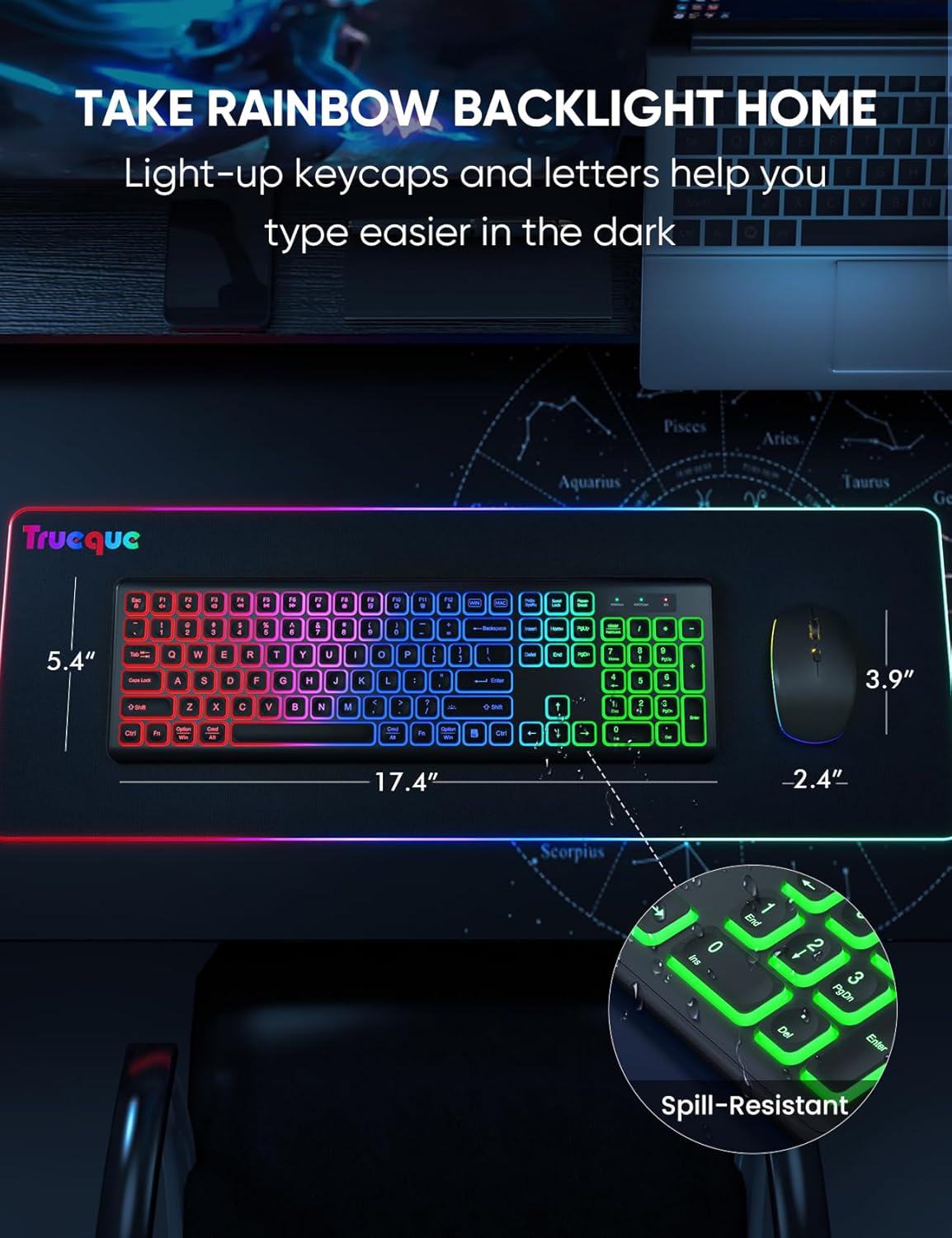
COOL RGB BACKLIGHT – The keyboard has a rainbow color backlight and 3 adjustable brightness. The mouse has 15 switchable lighting effects. Light-up keycaps and letters help you to use it easier in low light.
LONG BATTERY LIFE – Rechargeable keyboard and mouse can be charged by supplied USB C charging cable. The smart auto-sleep function and on/off switches help you to save power. Leave for 30 mins, the keyboard goes to sleep, leave for 90s, the mouse will sleep.
2.4GHz WIRELESS CONNECTION – Plug and play, easy to use. Keyboard and mouse wireless use ONE USB receiver allows wireless connection up to 10 meters(33 ft) without any driver.
ONE KEYBOARD, TWO-SYSTEM LAYOUT – Switching between Mac and Windows layouts of the dual-system light up keyboard is as easy as a single touch. USB A to Type C adapter is ready to adapt to your system.
COMFORTABLE TYPING & SILENT CLICK – The foldable stands offer a tilt angle for a better typing position. The effortless crater mechanism under each key makes typing more comfortable. The mouse and keyboard are almost silent, don’t worry about disturbing others.
UNIVERSAL COMPATIBILITY – This backlit keyboard mouse combo works with your PC, Desktop, Laptop or Notebook. Compatible with Windows, Linux, Chrome and Mac. (Note: Multimedia keys may not be fully compatible with Mac OS systems).
13 reviews for Wireless Keyboard and Mouse Combo, RGB Backlit, Rechargeable & Light Up Letters, Full-Size, Soft Typing, Sleep Mode, 2.4GHz Quiet Keyboard Set for Mac, Windows, Laptop, PC, Trueque (Black)


Morgan Authement –
Very beautiful
I have gotten so many compliments on this at work. It’s super pretty, works well, and is very reliable. The mouse will act a little strangely when it’s going dead but that’s good for me because I forget to charge it otherwise.
Thalena Martinez –
Great for work I love it
Great keyboard and mouse combo. Very easy to set up, comfortable to use, and the RGB lights look nice. Both work smoothly and being wireless and rechargeable is very convenient. Highly recommended.
Amazon Customer –
Great buy!
Love this keyboard and mouse. The keys are smooth and not loud. Love the mouse also, dry smooth and not loud clicking. I love the colored backlighting, helps when I have to use in low lighting. I wish there was a more compact sized keyboard I could use for when traveling
Ashley Cleveland –
Great keyboard, quirky charging
I really love the keyboard. Quality and functionality are all as expected. The instructions are easy and clear. One star was taken away for two quirks:1. I wish the lights had a setting or toggle switch so they would stay on all the time. The current model has the lights on a timeout feature, obviously to conserve battery, but I would rather have the option to turn it off when I am done working rather than continually waking it up when I’m trying to type in low light settings but pause for “too long.” It’s not a long timeout feature and seems to be un-modifiable.2. Atypical type C charge port. Can be used with any type C charger however must not be plugged in upside down (???).Both keyboard and mouse have individual low battery indicators and both can be used while plugged in, but must be plugged in a certain way. Interestingly, the correct way to plug in my keyboard is upside down when used on my mouse, suggesting the installation is randomized. When the battery is low on the keyboard, the lights stop working before it disconnects. When the battery is low on the mouse, it disconnects before the lights stop working. If you’re having trouble with either of these, try turning the charger over. Customer service was so nice in troubleshooting and sent me a new one before I figured this out. They did ask me to charge it for a few hours during the troubleshooting but that didn’t work (because I didn’t realize my cord was upside down). It took the second set malfunction for me to really assess the issue. Customer support was very nice. Please let them know to add “flip the charger cord” to their troubleshooting tactics.
Elizabeth –
Maybe you’ll have better luck.
I love that this is a soft touch keyboard, I just wish replacement keys were offered through the website. I dropped my keyboard about two weeks into owning it and lost the ESC key (which I use throughout my shift). I ended up moving a key I never use to the ESC spot, so I at least had a button there. The mouse is absolute garbage. It last 4 months. I plugged it in at the end of my shift 3 days ago (Aug 12), and came in the next day and it doesn’t work at all. Won’t turn on, nothing. Keyboard is working great, no issues with charging or use. I will not be buying from this company again unfortunately. Pricing was great, speed of service and delivery was excellent. Product longevity 50/50, just because of the mouse.
Sandra –
Best purchase
I purchased this after seeing it on TikTok it is a great item, works fine. The charge does last I’ve had it for a few months and have had no issue with it. Would definitely recommends the keys are soft and quiet, the lights works and the mouse also light up and have had no issues.
Robert Humes III –
Combo, TBD. Company 5 stars.
Ok. Well, it’s definitely a keyboard and mouse combo. It arrived on time. It was super easy to set up. Lights are neat (I’m a nerd… it’s ok. lol) The mouse bottom has a LOT of friction. On my desk top, the amount of drag is crazy. Ended up actually having to put scotch tape on the bottom so it would slide as it’s supposed to. If you do lots of “dragging and dropping” I strongly suggest against this set. Mouse constantly drops prematurely. Really annoying. It is quiet tho! It just quietly drops everything your trying to drag! Buttons on the keyboard are sticky specifically the left shift and space bar. I’ve had to back space twice writing this review because it didn’t registera (leaving that one in there so make it 3 times) anyways, it didn’t register a space bar strike. Going to keep theset (again) for aw crap moments, but definitely getting something else. This might be a factory whoops, but I kinda feel like it’s just meh. Hope this helps someone, I’m out!**EDIT** Company sent me a replacement. When I get a chance I will set it up and see if it’s better, worse or the same, and then edit this again. 5 stars for company feedback!**EDIT** (Again) Finally got a chance to use the replacement. Used the C to USB to hook it up to my tablet, seems to be much better! No set up required, just took off and worked nicely. Left shift button is a bit sticky but I can live with that! Might loosen up with use. Mouse seems smoother as well, upgrading to 5 stars, even with the sticky button simply because of the customer service and my first set must have been a exception, not the rule.
M. Mosler –
Can’t actually read the letters on keyboard
I bought this keyboard to replace my previous wireless keyboard. The other one wasn’t necessarily syncing up well with my work computer – I couldn’t use a lot of the pre-programmed shortcuts and alt codes that we had for our system and it was driving me totally nuts, not to mention slowing down my work productivity.This one is very quiet when typing, my keyboard doesn’t have the little dips that are shown with the letters for some reason but it’s still pretty nice. I have notice that I have less wrist pain since switching to this keyboard/mouse combo. Plus it doesn’t slide around on my mat like the previous one did.However, I hate the fact that you legit cannot read anything on the keyboard hardly at all. I mean I can BARELY see which FN key is which or the letters. I mean we were taught typing & computer stuff in 6th grade with good ole MavisBeacon (yes I know I’m dating myself here lol) so I know where everything is on the keyboard itself, I just would like to be able to see it.
Samantha B –
Love it. I use it every day! People love it and I get lots of compliments. Battery lasts about a month if I turn it off and on everyday. I type pretty fast and this is the only keyboard that has been able to keep up.
Bogdan ION –
Beside the price quite expensive, it is a good product.I recommend it.
Yuna –
Very good for price 2 in 1 and both are amazing to use
Lily –
Good value and rgb lights are very nice. I’ve used it for about 6 months now and connection does drop out sometimes randomly. No biggie though. Some of the keys have started the wear away from typing so quality isn’t amazing but considering the price, it was a great purchase.
MonGardSan –
Dado que el teclado no tiene la “ñ” existe cambio de comandos, pero es muy fácil acostumbrarse, el único problema es que si no puedes /sabes cambiar el idioma de tu teclado en la computadora a inglés, requerirás saber de memoria los atajos de windows/ Mac