


Corsair K70 RGB PRO Wired Mechanical Gaming Keyboard (CHERRY MX RGB Speed Switches: Linear and Rapid, 8,000Hz Hyper-Polling, PBT DOUBLE-SHOT PRO Keycaps, Soft-Touch Palm Rest) QWERTY, NA – Black
$69.99


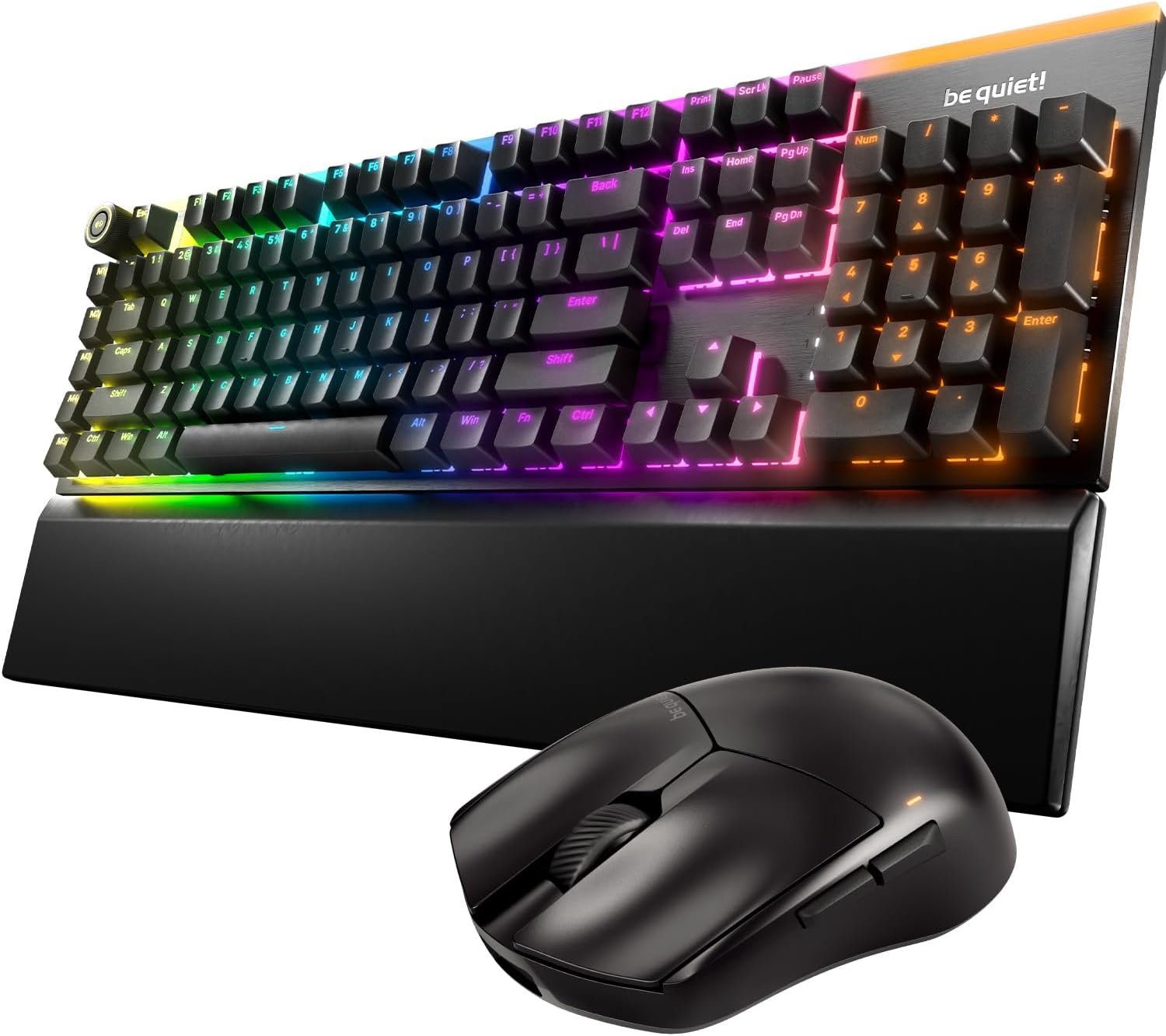
The CORSAIR K70 RGB PRO Mechanical Gaming Keyboard delivers an iconic aluminum frame and even better performance, powered by CORSAIR AXON Hyper-Processing Technology and world-renowned CHERRY MX mechanical keyswitches. Win in style with dynamic per-key RGB backlighting, easy to take on the go with a detachable USB Type-C cable. Powerful iCUE software on both PC and macOS enables custom macro programming, key remaps, and more, while dedicated media keys and an aluminum multi-function volume roller offer convenient control over media. With a tournament switch for instant compliance with competition guidelines and onboard storage for up to 50 profiles, the K70 RGB PRO is ready to take on any challenge.
The Legend Continues: The K70 RGB PRO retains the iconic elements of the award-winning K70 RGB with a durable aluminum frame, CHERRY MX mechanical keyswitches, and per-key RGB backlighting.
Powered by CORSAIR AXON Hyper-Processing Technology: Enables a new level of K70 performance, processing and transmitting your inputs up to 8x faster than conventional gaming keyboards.
100% CHERRY MX SPEED RGB Silver Mechanical Keyswitches: Offer lightning-fast response times with a 1.2mm actuation distance, and are guaranteed for 100 million keystrokes.
Polycarbonate Keycaps with Standard Bottom Row: Durable polycarbonate plastic keycaps with a standard bottom row layout that supports custom keycap sets.
Switch on the Competition: Flip the tournament switch to focus on winning those crucial games, automatically locking to distraction-free static backlighting and disabling accidental macro activations.
8 reviews for Corsair K70 RGB PRO Wired Mechanical Gaming Keyboard (CHERRY MX RGB Speed Switches: Linear and Rapid, 8,000Hz Hyper-Polling, PBT DOUBLE-SHOT PRO Keycaps, Soft-Touch Palm Rest) QWERTY, NA – Black




deliah –
Great
Awesome for the price point.I did put prints on the qwerty zone, the number line, and the arrow keys (you only need one central print on the three point keys, exception is the space bar, use three there).This is replacing my old beat up K57 that I got for $20 at Target on clearance probably 5 years ago. I tried a K55, very unhappy with that for multiple reasons.IMO, the mechanical keys are… Gimmicky. Yeah, I’m sure a lot of haters are lining up… But I have had an enormous amount of experience with over two dozen keyboards, at least ¾ of which were various mechanical type keying. These work great, but they are loud, hence the need for o rings. All things considered, I have never had a problem or complaint about old school keying. Some membrane types aren’t great, but a lot are just fine.I mainly got this to keep my 50 or so advanced RGB configs for various software and games running. Can’t do that with the k55, it must be an RGB pro type like the k57 or k70.At the end of the day, this is a great keyboard if you either tolerate the noise or dampen it with o rings. Looks great, feels great, since I have literally almost 100% Corsair components on my series 2 build, ICue is basically home for me, so the customization is immaculate as far as being seamless and easy. I believe this is THE best customization platform as far as dynamic lighting for the average enthusiast user, and this is coming from a hardware engineer who fiddles with EVERYTHING.9/10, minus one for noise
Casey J. Heshler –
Tactical, well back lit, and a formidable keyboard input device for your System!
My go to for computer keyboard. Tactile feeling of mechanical “Cherry” switches, full keyboard layout; function, ten key, cursor movement, page control movement, even media/volume control features, and back lit keyboard lighting. Built robust, weighted nicely, a little pricey, but it does last, and a formidable keyboard. Nice “gap” of the keys above the base to allow blowing out cleaning. Even if you’re as cautious as I am in trying to keep debris from finding its way under the keys, sooner or later, it happens, and that space is nice for those mistakes. If you want a “quiet” keyboard, this isn’t for you, look to “Cherry Brown”, or “membrane” keyboards. But, if you like the tactical, and clickety-click feel, these “Cherry Red” switches give you just the right feedback. Not able to use the included driver software due to my choice in Operating Systems, the lighting programmability isn’t an option, but even Linux and the “default” program of the keyboard software allows you to have a nice “wipe” pattern at least. Even though I can’t do anything about the default back lighting, it does provide a great key lighting for those dim to dark room lit environments, all the keys are well back lit to be seen. Durable & designed for punishment, this is my choice for coding, and a little game playing. I’m not much of a gamer, but I do depend on my keyboard for reliable coding/typing. I’ve tried many types, and kinds of keyboards over the years, and I feel that ever since I found this brand, it will always be “my choice” for an input device, if I have the choice.
PJM –
First mechanical keyboard – Pretty dang good!
So this is my first venture into mechanical keyboards- I’ve exclusively used membrane keyboards in the past, with my last being a Logitech G110 that served me well for a long, long time. Unfortunately due to a spill I killed the spacebar from working reliably on my Logitech, so I decided in looking for a new keyboard that would serve me well in gaming and general typing, so I looked into going with a mechanical. Here’s my review after spending wayyyyy too many hours researching the pros/cons of going with a mechanical vs a traditional membrane keyboard-Build Quality – 10/10You paid for a $140 keyboard, and you’re certainly getting one. It’s very solid, and the keys themselves scream quality. The stainless steel backplate just reinforces the care they put into this thing, even though you’ll rarely look at, not to menti9on touch, that piece of the board. There’s no side-to-side wobble to worry about- you have to actually grip a key with a couple fingers to be able to wiggle one around. Zero complaints here!Ergonomics – 9.5/10The low profile form factor sits nice and comfortably comparing to traditional keyboards. Really, there’s no complaint here. I could probably type for hours on this without issue. Wrist position is pretty much as close to flat as you can get, with a very comfortable an not carpel tunnel inducing angle, which was one of my concerns about traditional mechanical keyboard that tend to sit very high to the keys. My only complaint which garnered the .5 minus was while the wrist rest feels very comfortable, it is kind of slick despite its textured surface, which makes me FEEL like my hands are sliding downwards, even thought they’re really not.Gaming – 10/10The keys are extremely responsive. The key clicks are very precise and feel great.They include optional raised and textured WASD keys, which are angled inwards to give you a good resting space for movement. These are more traditional mechanical keyboard height so it makes it easy to locate them by feel, so if you take your hand off of the keyboard for a second, it’s super easy to get back in position. They also have another set of QWERSDF keys, which I’m not 100% sure what that combination would be for. They do include a key extractor tool to pop off the keys to switch them out, which is nice.My only possible complaint would be accuracy, which I’ll cover below.Typing – 9/10Overall this is a pretty good experience. My only complaint may only be from adjusting from a membrance keyboard- the quick switches feel just a little too sensitive. Since the switch weight distance is so low, I find myself resting my fingers on the keyboard and that alone being enough weight to trigger the keys. Great for gaming when you’re tensed up and ready to go, but for general typing I’ve been plagued with lots of repeated letters as I rested my hands while gathering my next thoughts, or mistyped letters as I accidentally barely brush adjacent keys while I’m typing words. But overall, not too bad and I’m getting used to it.Functionality – 9/10Overall this satisfied my biggest concern in buying a keyboard – media controls. In particular, the volume wheel, as transitioning between a quiet game to a YouTube video, or even between YouTube videos with different audio levels, makes me want something I can physically adjust on the fly without clicking through software-based volume adjustment. Really I only took off one point because of the lack of Macro keys. My Logitech G110 had those aplenty, however the K70 low profile lacks any. I never used them at all to be honest, but I’m sure there are those who would’ve like to see them on a premium low-profile keyboard. Guess we’ll have to wait until Corsair does one of these in the K90 model.Also there’s a USB passthrough on the top “back” of the keyboard by the cable. I haven’t used it, but be aware this DOES require you to have a 2nd USB port on your computer to plug in a cable for that.Sound – 8.5/10Look, it’s a mechanical keyboard. It’s definitely louder than membrane keyboards I’m thinking of when I’m coming up with a comparison, which is why I’m docking a full 1.5 points. Really for mechanical keyboards that I’ve heard, this should be close to a perfect 10/10, but not compared to regular old membrane typing keyboards. Great for home, not perfect if you have it in an office close to a desk-mate.The important thing is that it doesn’t put out an ungodly racket, like those folks you hear in game that have an open mic and sound like they’re using a hammer on their keyboard for key inputs. So overall, extremely quiet for a mechanical but folks near you will definitely hear you tap tapping away as you compose that email.Aesthetics- 9/10I left this for last, since I don’t really care all that much about RGB or look on my gaming keyboard that I will rarely be laying eyes on while concentrating on the game at hand. But I have to admit, it’s not a bad looking piece of equipment. The brushed stainless steel backboard reflects the LED RGB really well, making it look pretty attractive. Plus using iCue to link the colors with my M65 Elite mouse is a really nice touch. There are some cool effects you can do with lighting, but I tend to like a slow scroll between colors the best. Why the -1 star? The font they use on the keycaps isn’t great. I guess it’s less “mature” than I’d like. Small complaint, but personally it bugs me just a teeny bit.Conclusion-Overall this keyboard is fantastic, and you REALLY feel like you get what you pay for. If you’re more concerned about the feel of the board instead of having macro keys that you may not use, this is the board for you. Very happy with the purchase, and considering the quality of the build and the reputation of the switches I’m resting easy on paying to use this keyboard for several years to come.
Renato Santiago –
Teclado extremamente sensível e maravilhoso, você não precisa ter dúvidas sobre esta compra, se vc está em condições apenas compre. Não precisa pesquisar em nenhum lugar sobre ele. Acredite eu passei meses pesquisando e vim parar aqui, agora que ele chegou posso passar essa confiança. O teclado é perfeito !
Violet –
I’ve had this keyboard a few years now, nothing is wearing out or malfunctioning.I should point out that I have spilled an entire mug of coffee straight into the keys and PCB inside, after 2 days of drying out it worked normally again.Would highly recommend.
Solo –
Great keyboard fits someone who wants low level of sound also a solid keypads until wearing so you dont scratch them off easily like some older models from deferent modles the sound controller is good actually too, switching from razer huntsman purple switch to the K70 silver switch is a nice one my last keyboard lasted about 8 years
Amazon Customer –
Keyboard is awesome, works well and looks premium. BUT, the wrist rest feel very sticky out of the box! 3 stars for making me spending an hour washing it off with warm soap water and making it feel LESS sticky.
Danish –
This is the best gaming keyboard the built quality is superb. The sound of the keys is so good, go for the keyboard you won’t regret it.