


Emerson Sensi Touch Wi-Fi Smart Thermostat with Touchscreen Color Display, Works with Alexa, Energy Star Certified, C-wire Required, ST75 Black 5.625″ x 3.4″ x 1.17″
$139.95





Sensi touch smart thermostats are designed for energy savings and data privacy – to give you full control of your home HVAC. With over 100 years of HVAC experience, you know our expertise already, even if you didn’t realize it. Emerson produces many of the HVAC parts that our smart thermostats control, so you can feel confident in the product you put on your wall. With our top-rated mobile app and easy installation process, customers of all comfort levels can make the switch to a Sensi smart thermostat. In addition, our customer service team of HVAC experts is always available to help you through any questions you might have. *For more information on Compatibility, Energy Savings, and Privacy Protection, please refer to the “Product Documentation” section below.
PRIVACY PROTECTION*: Sensi won’t sell your personal information to third parties
EASY DIY INSTALLATION: Use the built-in level, illuminated easy-click terminals and step-by-step app instructions for a quick installation; Works with the HVAC equipment found in most homes. Common wire (c-wire) is required
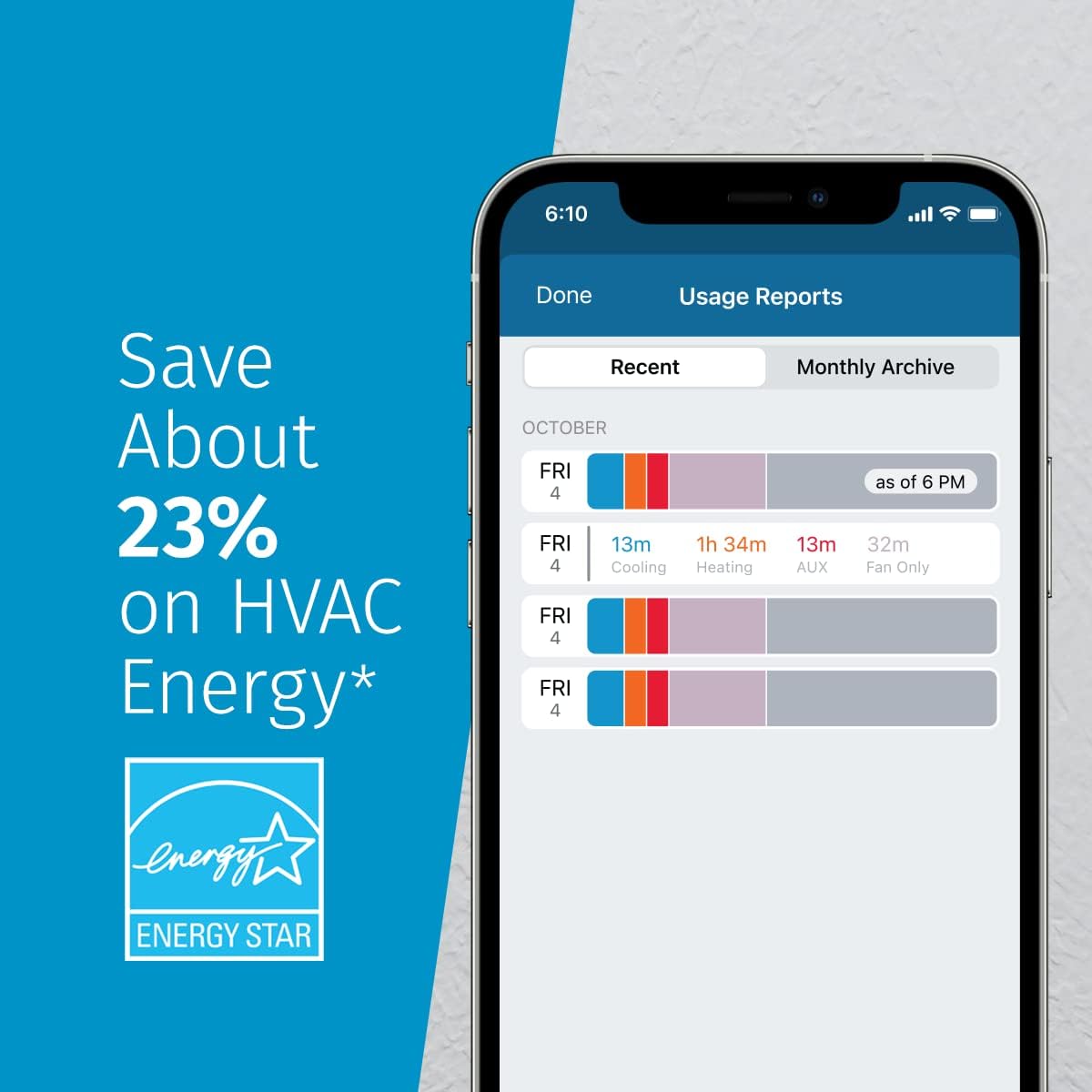
SAVE ABOUT 23% ON HVAC ENERGY*: The ENERGY STAR-certified Sensi smart thermostat can help you save energy with features like flexible scheduling, remote access and usage reports
SLEEK, MODERN DESIGN: The large color display features easy-to-read temperatures and intuitive menus. Available in black, white and silver to complement your home décor
CONTROL FROM ANYWHERE: Remotely control your home comfort from your smartphone or tablet using the Sensi mobile app for Android and iOS devices
SMART MAINTENANCE: Sensi can help monitor the performance and efficiency of your HVAC system by delivering valuable usage reports, alerts about your equipment, and maintenance reminders like filter replacement
11 reviews for Emerson Sensi Touch Wi-Fi Smart Thermostat with Touchscreen Color Display, Works with Alexa, Energy Star Certified, C-wire Required, ST75 Black 5.625″ x 3.4″ x 1.17″




Karen Weigel –
Sleek, simple and amazing value for the money (I’ve worked in HVAC for years)
I worked in HVAC for some years prior to entering the new field and have installed my fair share of thermostats. Recently purchased a house and it came with an Ecobee 4. Had nothing but issues with it. Would crash randomly and take up to 25 minutes to reboot, and in general does not carry ease of use.Now onto the Sensi touch. Amazingly simple to install and wire, the app even gives you a guide so you can designate what your previous wiring was at the terminals of the thermostat and it will automatically reconfigure and give you a 2-D diagram of positive wire up the Sensi using your existing wiring. Once wired up, I finished registering in the app and was able to control my thermostat remotely on my phone. Both of the app and the thermostat itself are quality, sleek, simple and is incredibly easy to use. I know there are a lot of high tech options out there, but if you are looking for something that is easy to install, reliable, and really offers most of what you would get when spending several hundred dollars on a thermostat for a flat $100. I highly recommend it.
Kris –
Lana
The Sensi Touch Smart Thermostat is easy to install, simple to use, and works reliably. The touchscreen and mobile app make temperature control and scheduling very convenient, and it helps maintain consistent comfort while saving energy. Great value for anyone looking for a user-friendly smart thermostat.
Robert Z. –
Fantastic Thermostat – especially for the price!
Great product. Bought the silver because it was $26 lower than the white lol.Bought this device because I needed a day to day heat/cool schedule, not 5 days + weekend.Installation took 10 mins for a standard (non-hi efficiency) 20 year old gas furnace. Luckily there was an unused 5th wire in my thermostat cable that I was able to use for the C connection. the device is very easy to setup and in a few minutes after power on, I was able to set a schedule that took advantage of when we are routinely home or not.The app is very useful, and I now can adjust as needed, and optionally lockout changes from the display. There are also great features like offset adjustments and even a humidity control mode. Highly recommend.
SteveE –
Great thermostat with timer that you can control from your phone
This thermostat has been great. It was easy to install and connect – just follow the directions and you’ll be off and running. It’s got good basic functionality and is easy to control from my phone. It’s got timer settings and you can easily adjust them from your phone. If you’re looking for a thermostat that learns over time, this isn’t your device. But if you want to set your thermostat based on a timer and control it with your phone, this is the one for you. Overall a great value.
Rooster –
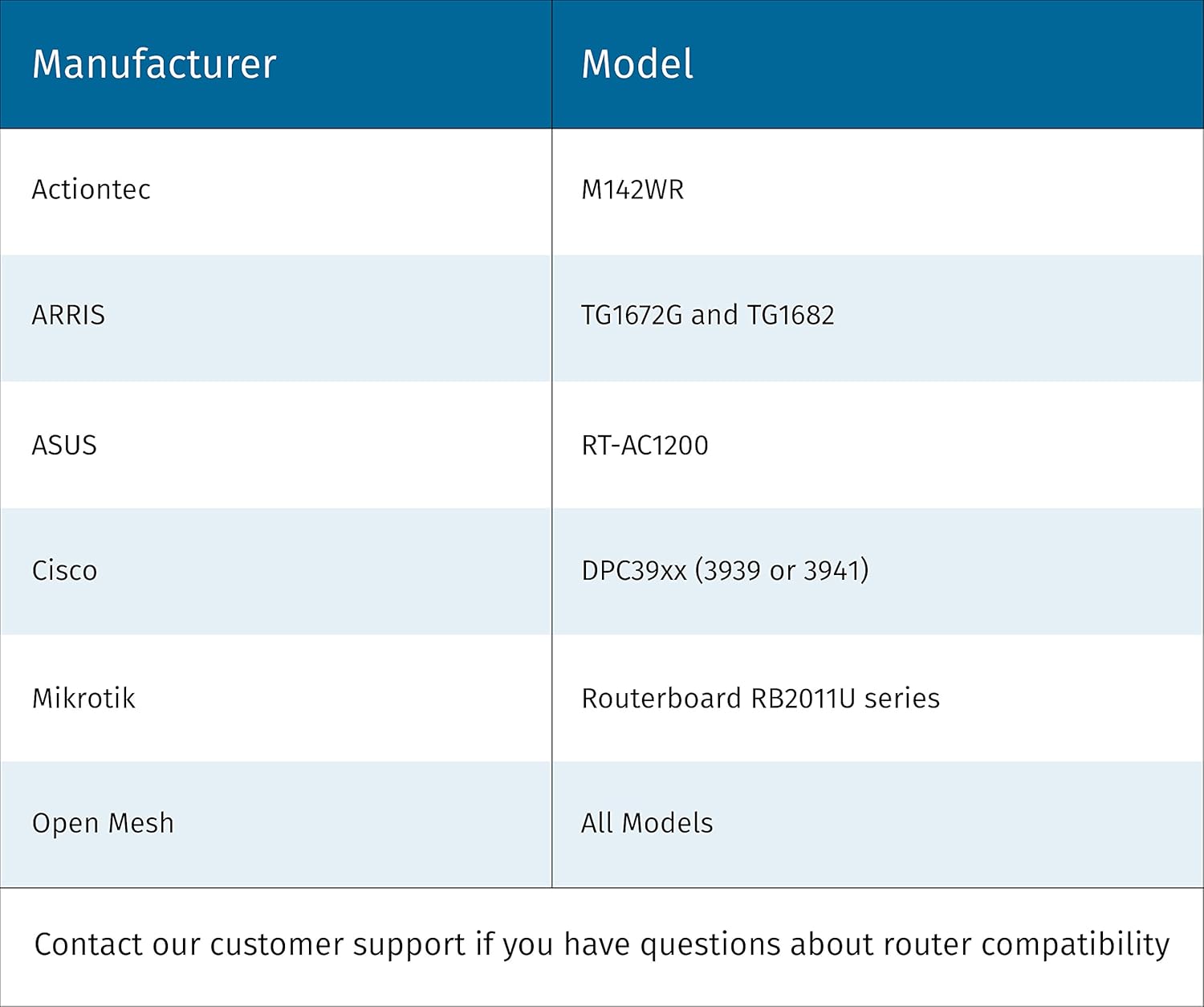
Can be very difficult, if not impossible, to get it to connect to your home wireless router
Can be very difficult, if not impossible, to get it to connect to your home wireless router.After spending 2 hours trying to get this thermostat to connect to my router, I finally caved and tried to get support. The AI support did not address my issue so I called their support phone number. I was on hold for 1.25 hours waiting for a person. We spent about 2 more hours trying everything possible to get it to connect. The support person acknowledged that the thermostat was not compatible with my router and told me to send the thermostat back. I almost did.I did extensive searches on the internet for this problem and finally began to piece the puzzle together. The thermostat only runs over 2.4g. I and the tech knew that. My phone could see their thermostat on 2.4g. However, little did I know that the thermostat has it’s own mini-router (network) built in and our phones can see it as an independent network. We are supposed to tell the phone to connect to it. The reason why, I finally discovered, is that is the only way to set the home wireless parameters in the thermostat. However, it didn’t work because the thermostat could not connect to the router to attach to the home network to get the parameter prompts, therefore, the phone never got a prompt for the parameters. The tech support couldn’t figure that out. He said my phone was the problem. It wasn’t. When I finally figured out the real problem, I knew that the router would need to be reconfigured. Google searches returned info back to me that this thermostat has serious issues with routers running in smart mode. Smart mode uses one SSID and password to activate 5g and 2.4g simultaneously. That was one problem. The other is that routers also have guest configurations with other SSID and passwords. However, to use this thermostat, you would need to configure the guest network to see other devices on the local network. That defeats the purpose. Therefore, the only way to get this thermostat to work was to turn off smart mode and configure 2.4g and 5g separately with different SSID and passwords on the router. But that isn’t the only problem. You now need to add those two networks to your phone and other devices. And there is more. You need to configure your phone to be on the 2.4g network before running their app to configure the thermostat’s network configuration. The phone must be on the same network that the thermostat will ultimately be on. Also, turn off the guest network so it cannot see the 2.4g there. Now you will need to reset the thermostat to begin the process over again to setup the wireless connection. If all goes well, their app on the phone will ask for the 2.4g network name (SSID), password, and other specs that you configured for that wireless network name. If this sound like a nightmare, it really was. I’m a tech person. I’m sure many others failed because they simply gave up. Hopefully this review will help you if you have problems.After the router and thermostat are configured, you can enable your guest network and change your phone back to 5g if that is what you were using. The reason is that the thermostat is now configured with parameters for your router. However, if you factory reset this thermostat, you will need to do this all over again.To make this configuration a whole lot easier, this company should have Bluetooth to connect to the phone to give it your router parameters.A far as the thermostat goes, it works fine. I like it. I will only use the app when I am away so I disabled the app and keep the thermostat’s wireless turned off. If you do that and then turn both back on, the app will say that you need to go through the configuration process all over again. That is not true. Simply give it 5 minutes to reconnect.If I was rating for ease of configuration, I would rate it a 1 star (0 if it was possible). Because I like the thermostat and it works fine once connected (so far), I only took one star off. that could change in the future once I use it more.I like that the screen color changes based on if the furnace is running or not running. The display is good and the brightness is very good but not too bright. Ease of use is good as well. I haven’t tested the app away from the house yet so I cannot comment on that functionality.Update to review:Since my review I have been able to test its remote functionality. It works.I have also tested cutting power to the furnace to simulate a power outage. When I restored power a half hour later the thermostat came up fine and reconnected to the wireless. With that being said, I did not test cutting power to the router at the same time to see if they would sync, as the router comes up slower than the thermostat.When I select the option to turn off wireless on the thermostat and then turn it back on, it takes about a minute to re-attach to the wireless, not the 5 minutes I suggested in the above review.I disable the app on my phone when I am not away from the house and it works fine that way. If I open the app afterwards, all I need to do is to login to Sensi and all is good, provided that I have the thermostat’s wireless feature turned on.
JJS in Madison –
This is the one to get
This is the thermostat I wished I would have had all along. Easy to install, easy to read and good looking. The app is great and has a lot of features that I haven’t seen on other thermostats I’ve owned. The temperature settings are right on out of the box but you could do some minor tweaking if necessary.I find it very attractive, I bought the brushed metal unit.I installed it a month ago and not once have I had any connectivity issues; rock solid app. My wife and I have the app on our phones and they both work fine; you just need to share the same user and password is all.I like that the display dims down enough to be able to see it ok without it keeping you up at night because it’s too bright.One of the features I really like is when the furnace is actually running the display background turns orange on the unit and the app. I think it turns blue when the ac is running.I’m really impressed with this unit and recommend it to anyone. The directions are very clear and easy to follow so pretty much anyone should be able to do the install.
hematu –
Dit product is niet geschikt voor gebruik in de EU. Probleem begint al bij het registratie proces, daar loop je vast omdat registratie alleen voor USA en Canada mogelijk is. Het alternatief (Apple home) beschikt niet over alle functies voor optimaal gebruik en functionaliteit. Programma’s (schedules) maken is onmogelijk. Door registratie problemen werkt deze thermostaat (zonder schedules) alleen binnen je eigen netwerk omgeving en niet buitenshuis.(Middels Apple apparatuur geprobeerd het draaiende te krijgen)
Ron –
So far this thermostat is working very well as a replacement for an old-style analog Honeywell. The touch screen is easy to use, setup and home network integration are a breeze, and it easily connects to Apple Home. The Apple Home app functionality is very basic, but I like having the ability to run automations or use voice commands with Siri. The Sensi app on the other hand has a lot of features, and is well-designed with a pretty intuitive user interface. It’s only been a couple of months but I’m very happy with it thus far.UPDATE: It’s now been over a year. I have had no issues at all. The only time it drops connection from wifi is when the power or internet go out. The app is just amazing. You can do a lot but it’s not clunky or confusing. They just keep making it better and easier to use. One of the best smart home device apps I have ever used. I hardly ever use the touch panel.
Disappointed –
Great functional controller that does the basic job expected from a controller. However….YOU CANNOT USE THE WIFI ABILITY UNLESS YOU REGISTER THE PRODUCT, BUT BUT BUT YOU CAN ONLY USE A USA TIMEZONE.!!! How hard is it in this day and age to include the rest of the world???
Majed al rashed –
👌
TechnTrek –
I already had a non-smart programmable theromostat, which worked fine, but was nearly impossible to read unless you were inches away, with the room light on. I like that this one is easy to read from across the room (with brightness controls), or right on my phone. Also very convenient to be able to adjust the temp from anywhere and set a reminder to change the furnace filter. Excellent installation instructions! Overall….very happy and would recommend.