


Sensi Smart Thermostat, 100 Years Of Expertise, Wi-Fi, Data Privacy, Programmable, Easy DIY Install, Works With Alexa, Energy Star Certified, Mobile App, ST55
Original price was: $134.69.$98.95Current price is: $98.95.
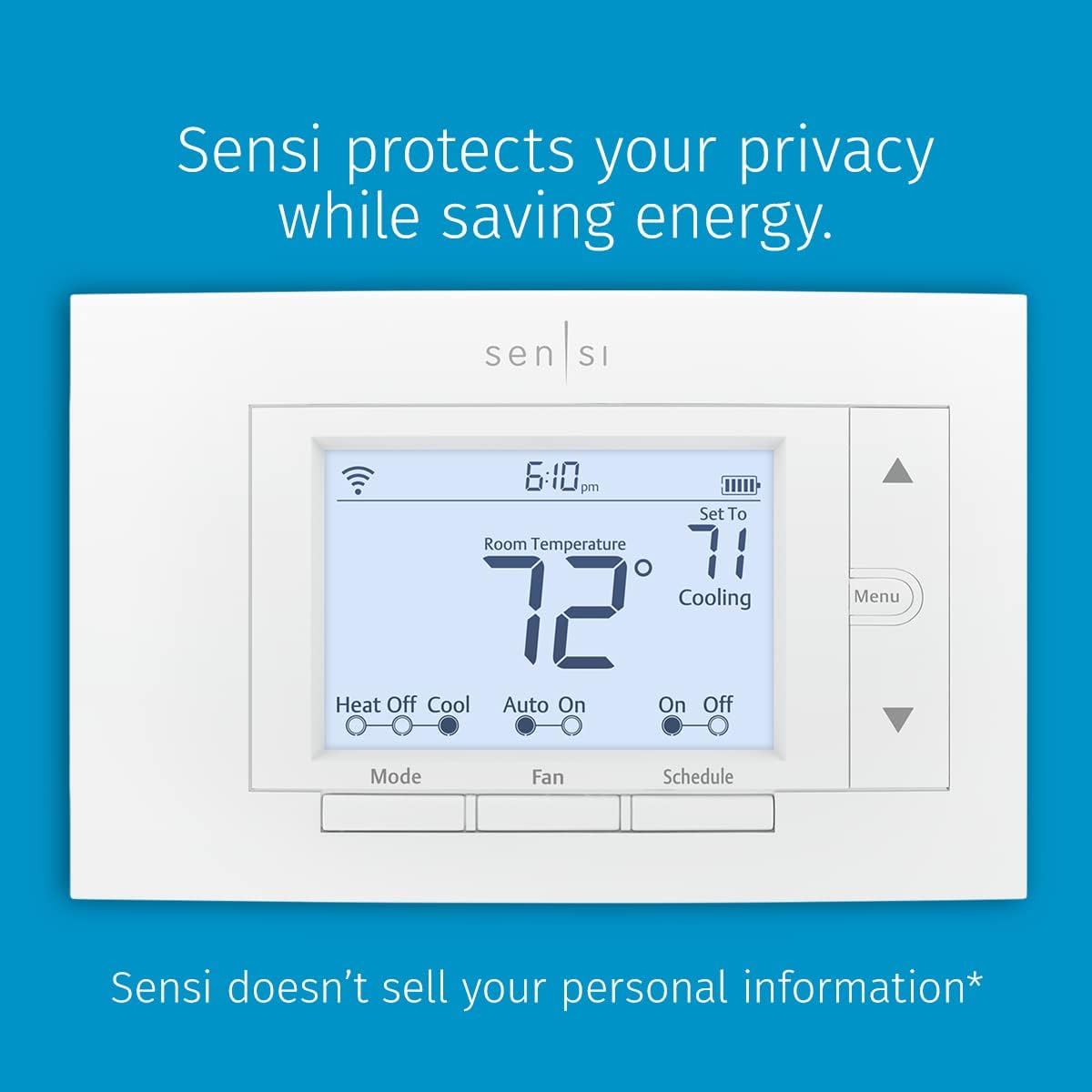



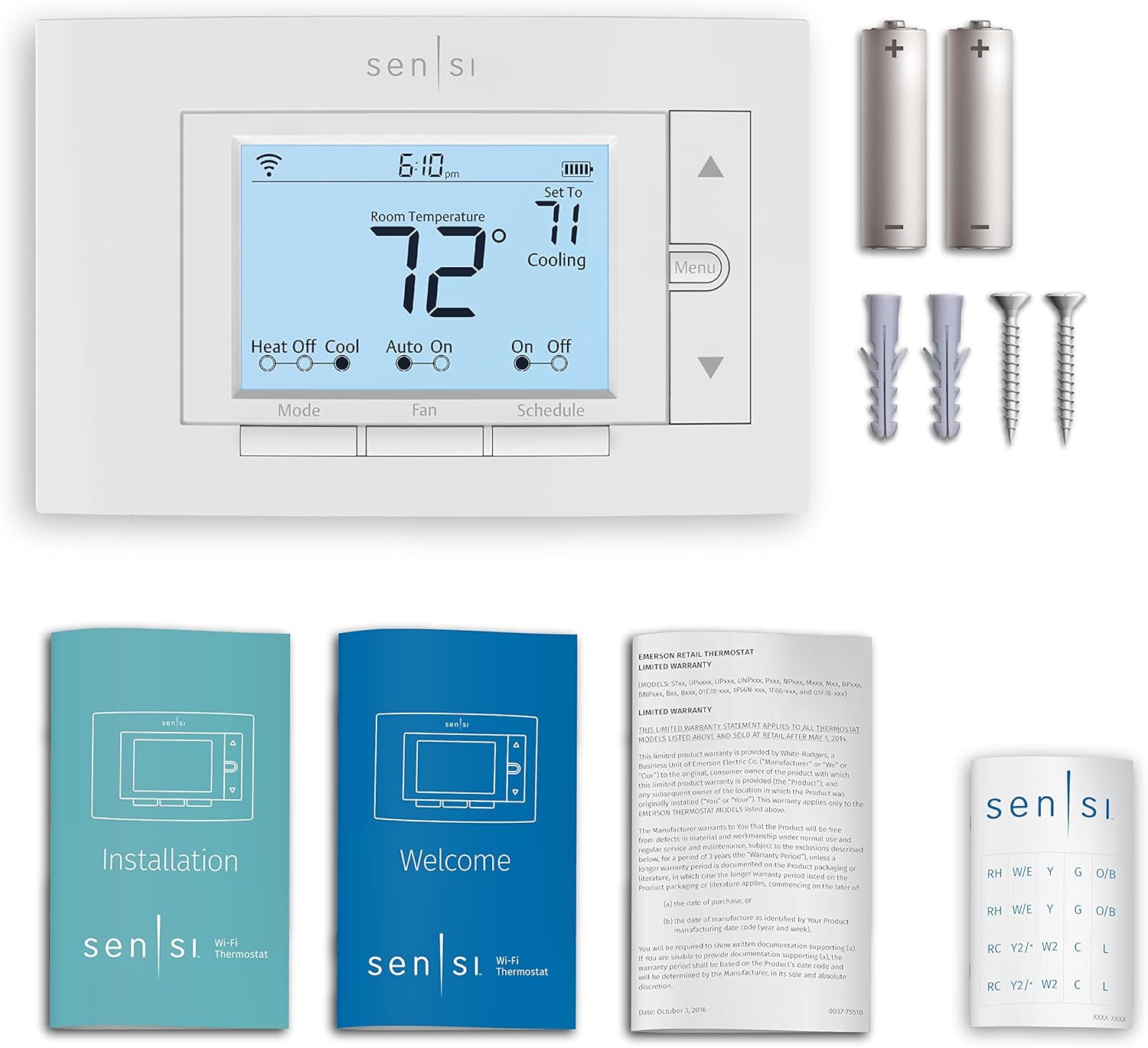
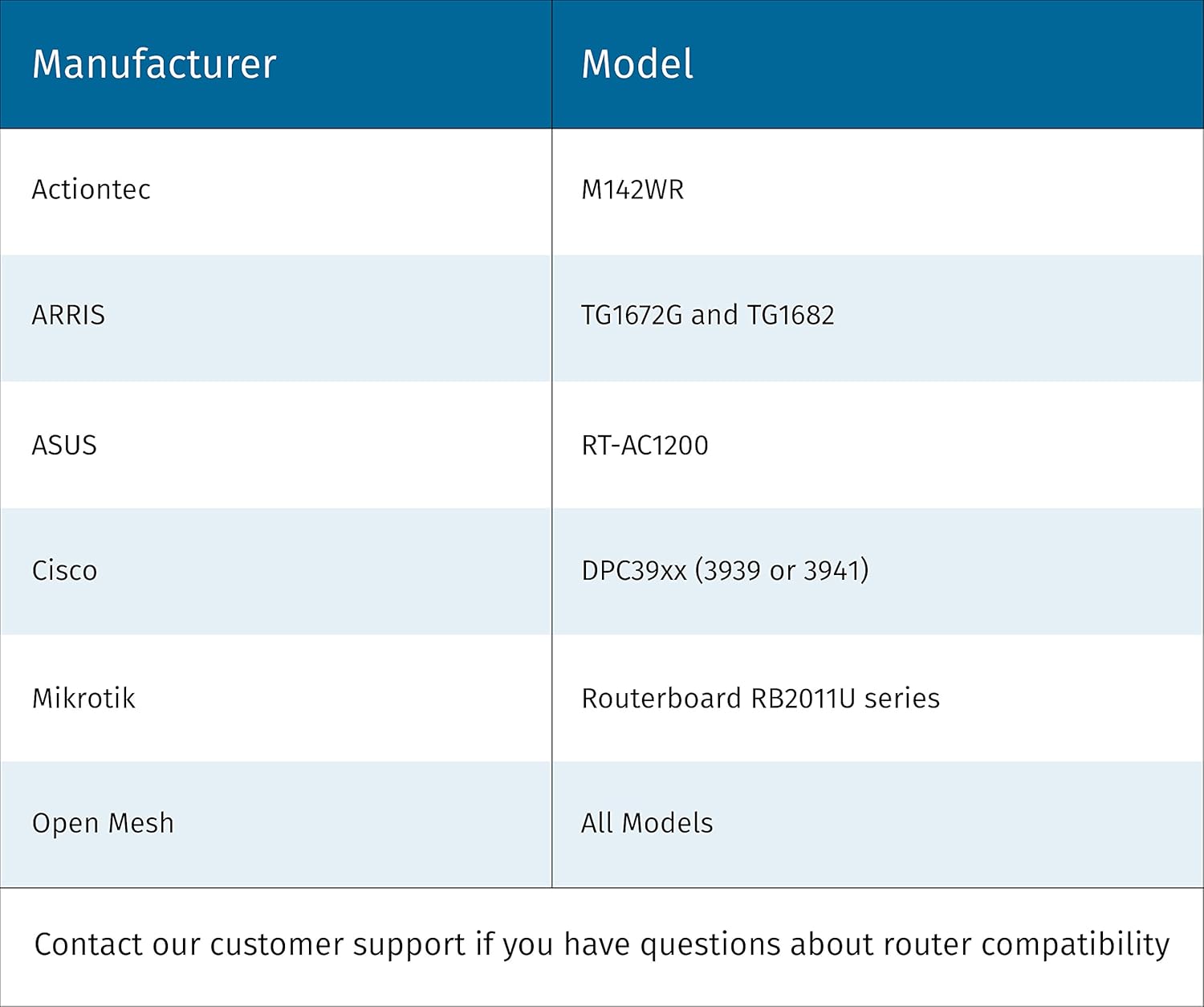


DIY your smart home with the Sensi smart thermostat. Compatible with most residential HVAC systems — no common wire (c-wire) required in most applications. You can trust Sensi as we do not sell your personal information to third parties. And Sensi comes with the dependable performance and reliability you can count on from our 100 years of HVAC experience. With our top-rated mobile app and easy installation process, customers of all comfort levels can make the switch to a Sensi smart thermostat. For more information on Compatibility, Energy Savings, and Privacy Protection, please refer to the “Product Documentation” section below.
PRIVACY PROTECTION*: Sensi won’t sell your personal information to third parties
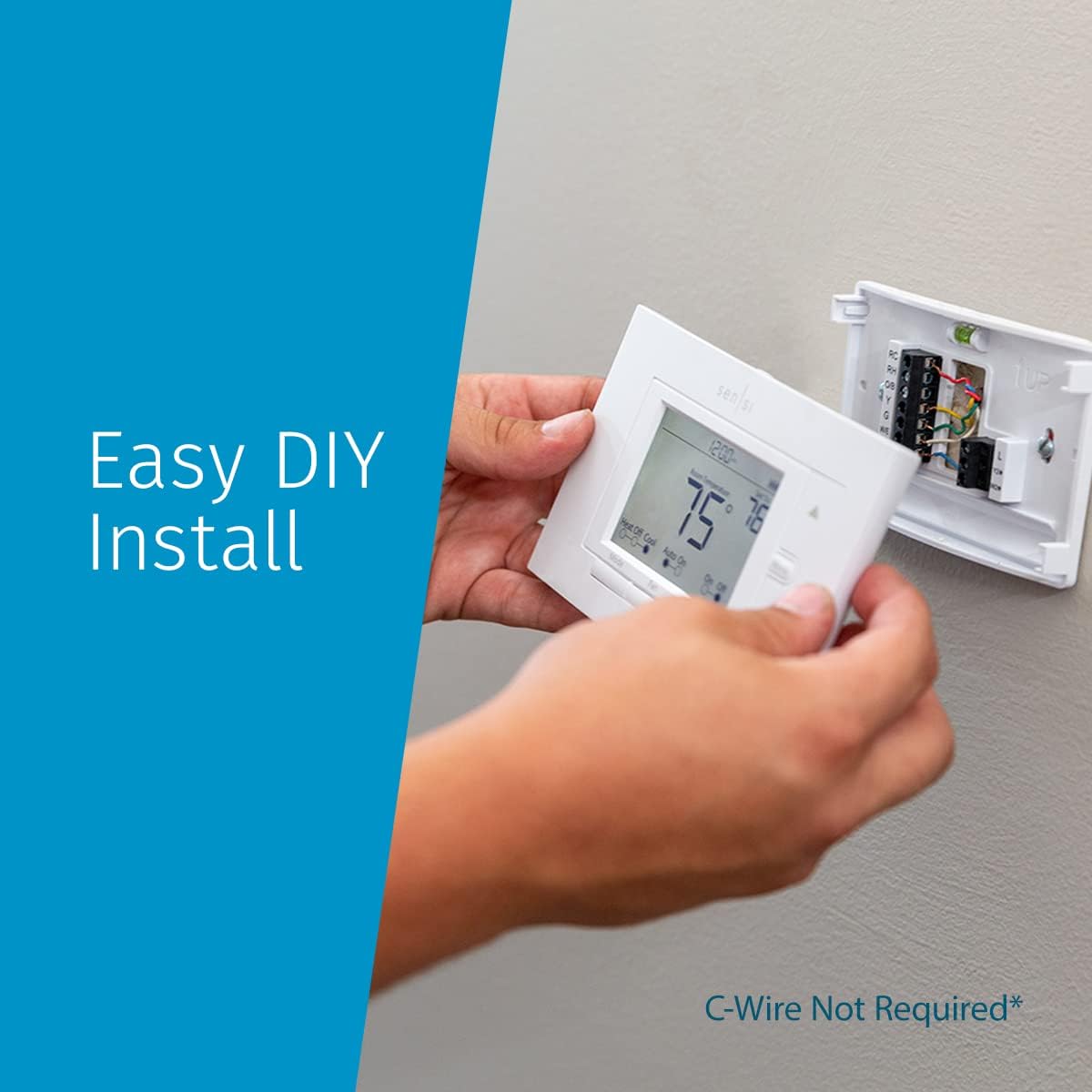
EASY DIY INSTALLATION: Use the built-in level and step-by-step app instructions for a quick installation. Works with HVAC equipment found in most homes. Common wire (c-wire) is not required in most applications
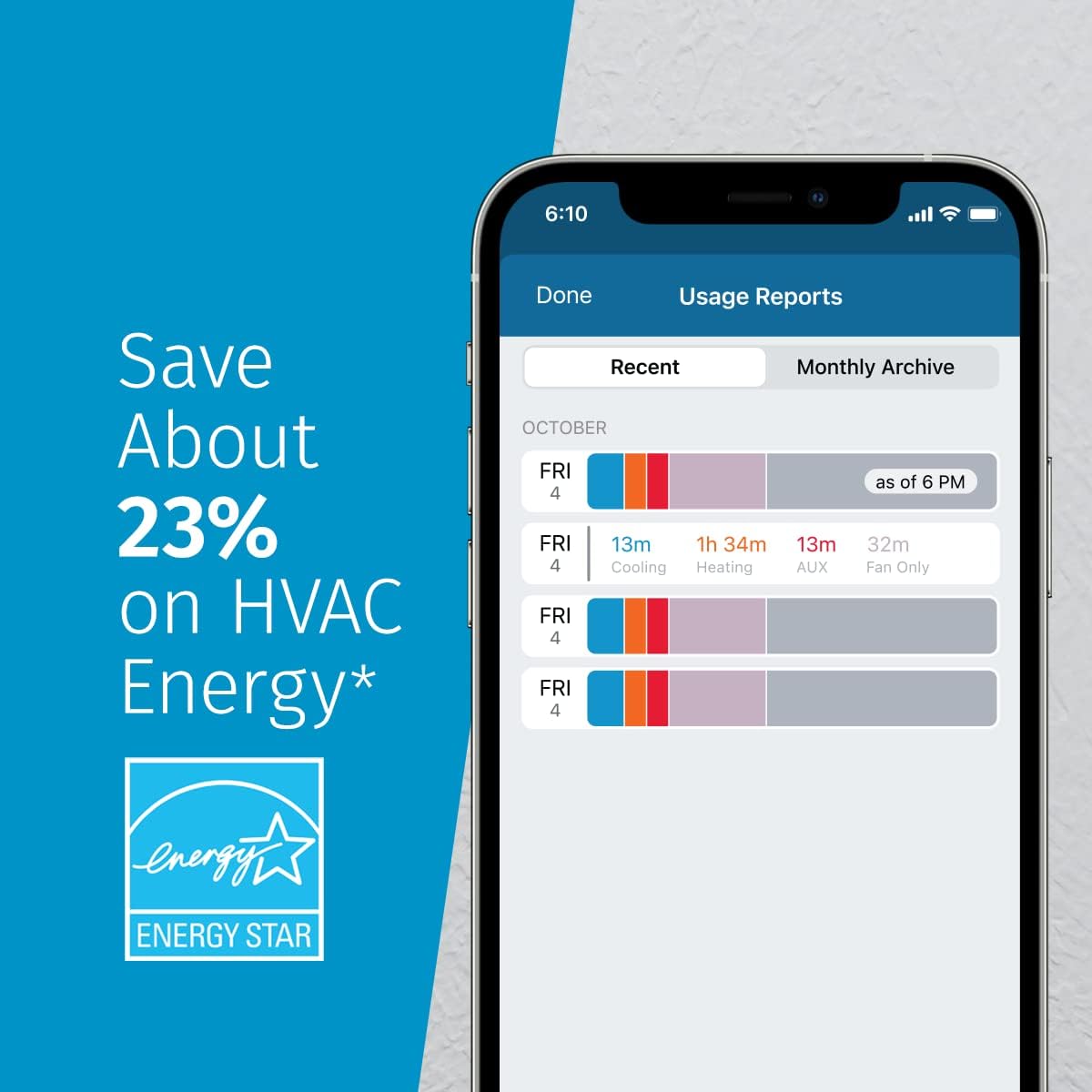
SAVE ABOUT 23% ON HVAC ENERGY*: The ENERGY STAR-certified Sensi smart thermostat can help you save energy with features like flexible scheduling, remote access, and usage reports
SMART MAINTENANCE: Sensi can help monitor the performance and efficiency of your HVAC system by delivering valuable usage reports, alerts about your equipment, and maintenance reminders like filter replacement
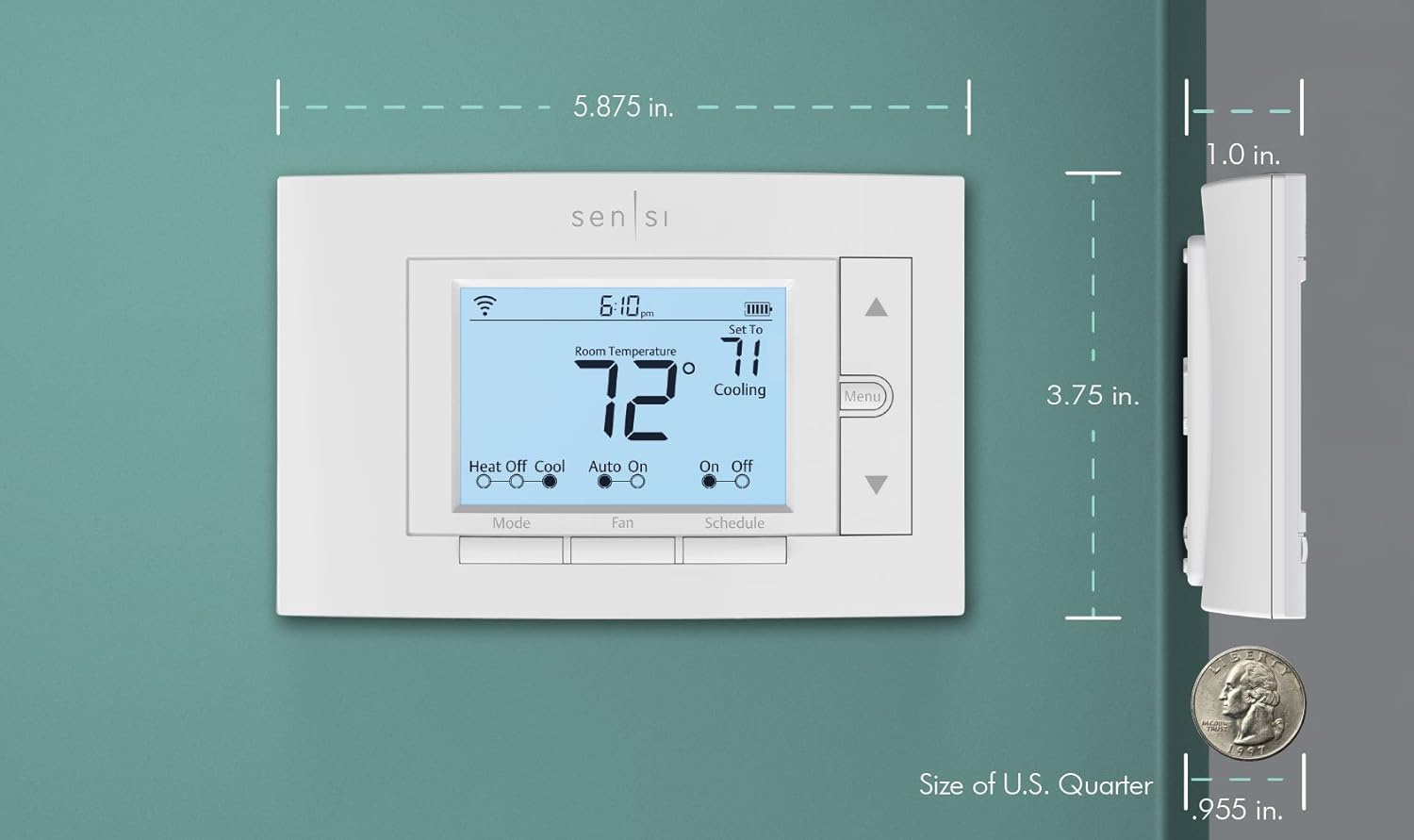
SIMPLE CONFIGURATION: Looks and feels like a thermostat. Has buttons and fits the same space as a traditional thermostat so you don’t have to patch and paint your walls
4 reviews for Sensi Smart Thermostat, 100 Years Of Expertise, Wi-Fi, Data Privacy, Programmable, Easy DIY Install, Works With Alexa, Energy Star Certified, Mobile App, ST55


Steven B. Stuart –
Great product, great price.
Exactly what I wanted: A reliable remotely controllable and monitorable thermostat. Mechanical installation was a breeze. The app walks you through the steps, where to put the wires, reminding you to label them and to take a photo of the old one “just in case”. None of that we necessary for me – mine was a basic 4-wire (Y,G,W,RC) so the wires went to the same places, but it handles more complex systems including C-wire (which isn’t needed for this model which is great because I don’t have one).Setting up the schedule was a snap. There’s an icon named “Schedule” in the app – very intuitive. And if you want to just set the temp to stay the same (like for vacation), just disable schedule and set the temp (and you can remotely put it back at comfort temp before you head home from vacation). I’m very impressed with the ease of use.WiFi connection was “mostly” easy. I had to go through the steps twice as it didn’t seem to connect the first time. But hey: 2 times to get it right isn’t bad. And seamless, both inside the LAN and anywhere on mobile or any other hotspot. I ran an errand that day and changed the temp while I was out and it was seamless.
Brandi –
Step by step app is AWESOME!!!!! Install app BEFORE removing old thermostat.
We’ve had this thermostat a month and I really like it so far. It makes me think our old thermostat wasn’t actually working for a long time before it started setting itself to 85°. Since it wasn’t even programmable, I knew it had to go and if I was going to upgrade I may as well go with something just a bit more…modern than a set-temp-and-it-stays-unless-you-change-it thermostat. I’m going to do pros and cons below. I do want to say, I took my old thermostat off the wall first, wrote down all the wire colors and the letter each was connected to on a piece of paper. The app removes the need for pen and paper. I just used my pen and paper to place the flags mentioned below on the correct wires.Pros:1. This thing is super easy to install. Open the box and there are instructions for you to download the Sensi app. Once the app is downloaded it has you choose which letter slots you have wires connected to (R, RH, C, E, OB, etc.). The app then tells you how to use the flags they provide to label the wires. For example I had a wire that went into a slot labeled “R”, but Sensi only had “RH” and “RC” (I think it was RC), so the app told me which R my wire needed to go in. Not having any electrical wiring experience, the app was SUPER helpful. It even had you take a picture of your wiring to save to your phone, just in case.2. The piece that attaches to the wall has a built in level. I am super annoyed when things aren’t straight on walls, so this right here, was awesome.3. The app is really easy to set up. I just have a daytime and nighttime cycle, but I could set up all kinds of things super easily. Vacation modes, turning the AC up when I leave the house… It was great. It even walked me through how to sync the app with my Google assistant and the Samsung Smart Things app, which I didn’t end up continuing to use. (See cons #1)4. The report that tells you how long your AC is running is really helpful as well, especially since we had issues last year with it not being able to keep up. We have better insulation and updated windows and it’s nice to see they are working, even when it’s 99° with a heat index at 112°. (See cons #2)5. I like that you can do things like temp and humidity offsets, have the AC turn on to help maintain proper humidity levels (we live in Florida, so this is a big thing for me), change the cycle rate (ended up choosing this one over another brand because people had issues with not being able to adjust the cycle rate on that one), and easily turn heat boost on or off. (See cons #3)Cons:1. It doesn’t work with Bixby. This is something I don’t really understand, but I’m guessing they assume if you’re gonna use Bixby you use Smart Things? But I can just use Google for that instead.2. The recent usage section only shows how long the AC ran that day, not which times it ran or how long at a time it ran. It would be nice to see how long the AC was running at a time, especially in the afternoon when it gets really hot. I have not yet gotten a monthly report since I got the thermostat mid-June and it’s now mid-July. Interested to see what the monthly report looks like at the end of the month.3. Sometimes I had to change settings a couple times before they “stuck”. I found after changing a setting I needed to wait a few seconds before returning to the settings menu and that helped.4. Shortly after I got the thermostat the AC drain line clogged. This resulted in my app/thermostat constantly saying cooling was on, but the AC wasn’t running. My usage for that day was like 21hrs, but I know it wasn’t actually on for the majority of that. Not really a huge issue, but you won’t have an accurate reading for that day.Summary:Overall, this is a really amazing unit and I have been really glad to have it. It was seriously a breeze to instakl and set up and functions well. I do wish I could connect it to Bixby without using Smart Things and I do wish I had a more detailed daily usage report, but those are very small inconveniences. I normally keep our house at 78° during the day and 77° at night and sometimes that feels cold. I would often feel hot before and wondered if our AC was not working correctly, but it would seem it was actually the thermostat. Very happy with this purchase.
aure the baker –
Wifi controlled
I have been looking for the wifi controlled thermostat which is simple and reliable. Chose this one because the price was not too high, it had a lot of positive reviews and has been on the market for a while. This model is not lit up at night, so you have to get used to handle it in the dark or turn on the light. It has all other features that we needed.It was easy to instal- DIY. We watched the You tube, but when you download the directions from their website, you just follow the steps. We have one unit withe gas heater and electric AC. We have not tried AC yet, because it was freezing outside and were careful not to mess up the system. we were fidgitting a bit till we connected to home wifi.
Bitwave –
Easy setup and works great with lots of features
The Sensi Smart Thermostat is very simple to use and setup. I like the crisp display and easy menus but the beauty of this device is the wifi and app control. I was able to connect using my home network and create a schedule that fits my needs. I can remotely control the thermostat while I’m away so if I want to bump the heat up before I arrive home I can simply do it via the Sensi app. There is no need to setup an account unless you want to control multiple thermostats then you have plenty of choices by the looks of it. I like the ease of use and the clear display and simple controls to manually adjust it if I want to. I highly recommend this if you’re looking for wireless capabilities and simple setup. I was able to install it and set it up in 45 minutes and its working great.