


7MAGIC Sonic Electric Toothbrush for Adults and Kids - Up to 180 Days Runtime, 42000 VPM Powered Toothbrush, 5 Modes & 3 Intensities for Sensitive Teeth & Braces, Includes 8 Brush Heads, Black
Original price was: $35.99.$19.98Current price is: $19.98.

SOLAKAKA SM809 Gaming Mouse for MMO,24000 DPI,16 Programmable,RGB PC Gaming Mice,Black
$39.89
Note: Prices may fluctuate as sellers adjust them regularly. You'll see the latest price at final checkout.
Description



From the brand


SOLAKAKA Mechanical Keyboard
SOLAKAKA Gaming Mouse
SOLAKAKA Gaming Mouse for MMO
SOLAKAKA Wireless mouse for PC
SOLAKAKA Computer Mouse
SOLAKAKA Keyboard and Mouse
SOLAKAKA Keyboard and Mouse
SOLAKAKA Keyboard and Mouse
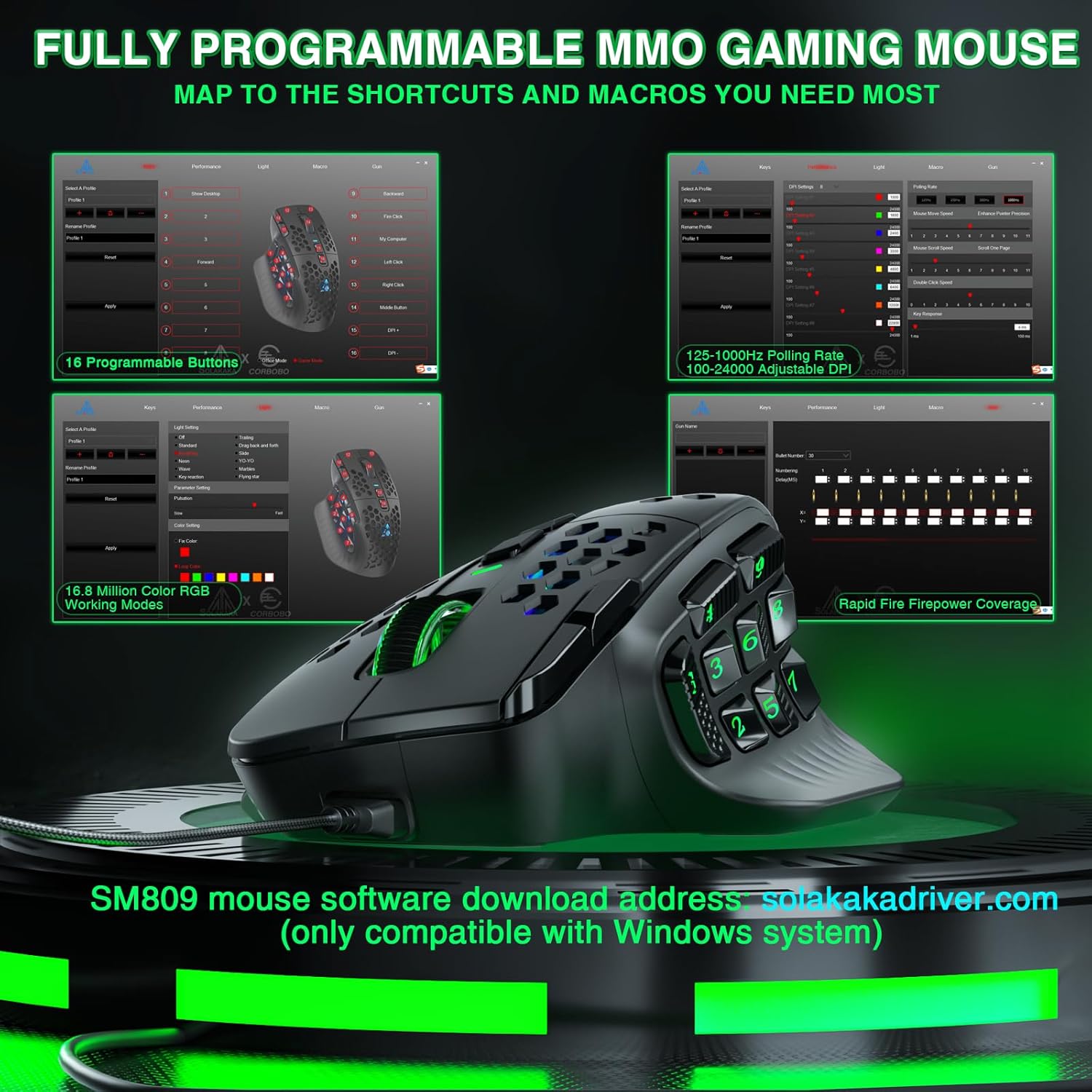
High-Precision Sensor: Equipped with a PAW3311 sensor, this gaming mouse offers up to 24000 DPI for fast, accurate control
Programmable Features: Fully customizable buttons and macros for a personalized PC gaming mice experience
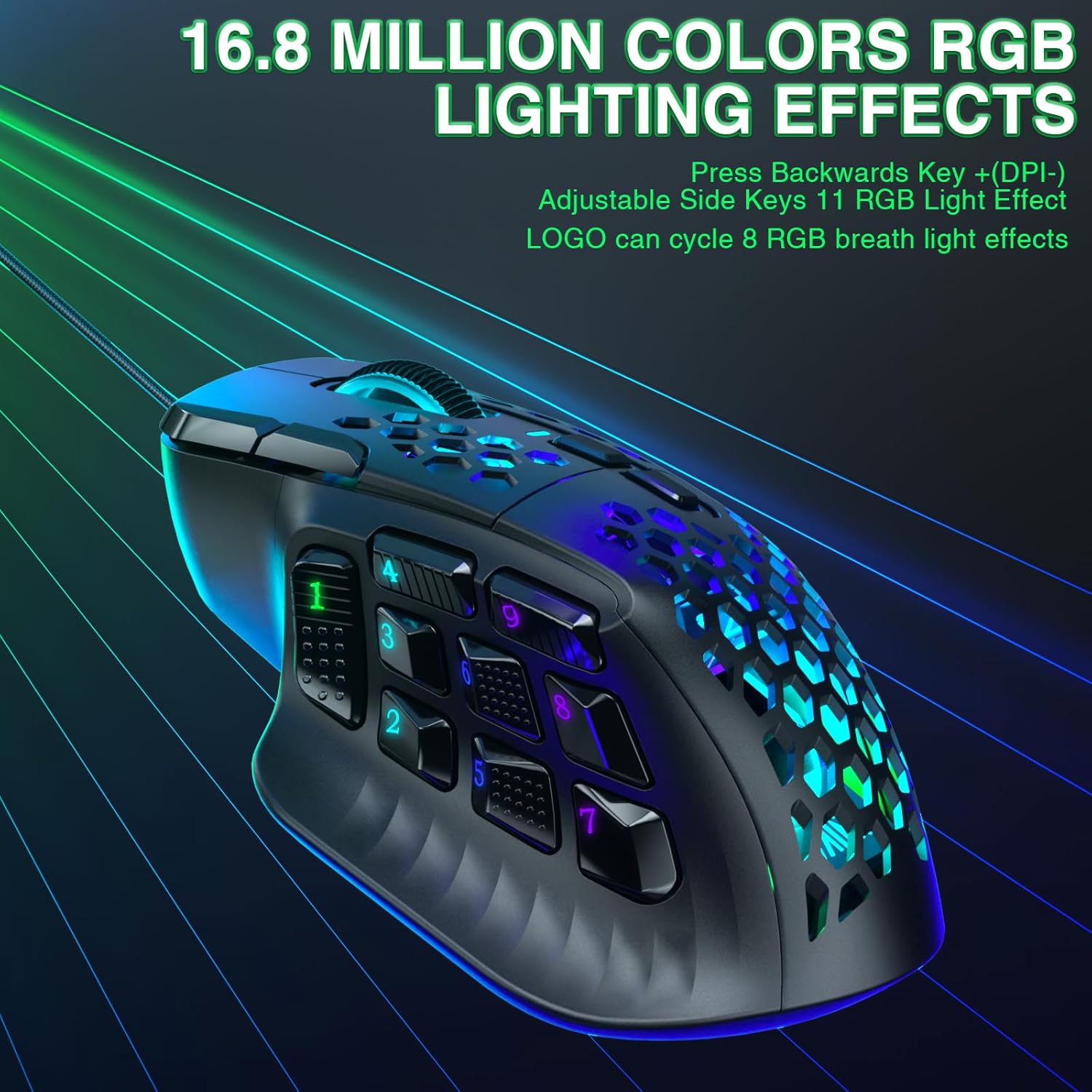
Interchangeable Side Plates and RGB:SM809 MMO mouse Swap between 4 magnetic side panels and enjoy RGB lighting,perfect for gaming or Work
Software supports:The SM809 MMO mouse supports online web drivers,no need to download software also customize the mouse, reset buttons, and set up macro files! enter:solakakadriver.com
Reviews (8)
8 reviews for SOLAKAKA SM809 Gaming Mouse for MMO,24000 DPI,16 Programmable,RGB PC Gaming Mice,Black
Shipping and Delivery







C. Jones –
Best ergonomic mouse for the price!
I honestly love this mouse! I feel that the overall quality, functionality, and use cases are perfect for the price it comes in comparitive to bigger and more well known/reputable brands such as Logitech and the likes. I love that this is a lightweight gaming mouse packed with a lot of goodies as well as it being ergonomic. I bought this to replace my hefty Logitech ergo-mouse, I believe it is the Logitech Lift model… I’m glad I did. The device comes with interchangeable sideplates as well, which I was unaware of when initially purchasing, but am not complaining. The customizable plates allow me to tailor the device to my specific needs… Since I tend not to play MMOs specificially, I enjoy that I can swap the plate to a variation with less buttons on the side. However, I’ve also found the extra buttons to be useful for launching programs and running keyboard commands on demand through a press of the buttons on the side of the mouse. I enjoy that the mouse has software that allows the ability for an “endlessly” customizable user experience… I do however find it a little irritating that every time the mouse goes into sleep mode and then wakes back up, the mouse’s software reopens… So overall, I would definitely recommend this mouse although the software has some room for improvement as I’ve noticed some other bugs at times, such as a disconnect between the 2.4GHZ receiver and mouse after running an update… I’m not completely sure if this was a hardware/software issue, or a user error on my part… When initially attempting to run the 2.4GHZ receiver update on my first SM809 mouse, I still had the usb cable plugged in from when I had ran the update for the mouse’s wired connectivity. Although I’ve noticed some minor software bugs and have had issues with the hardware, the company seems to take good care of the consumers. I believe it is a relatively high quality and really good budgeted ergonomic, and lightweight gaming mouse. (Updated 11/15/25) Although I love this product there is easily some room for improvement in the after-sales customer support. There is no easily accessible way to contact the company. I can only seem to reach them through Amazon and AliExpress platforms. I also find it hard to navigate the companies website for drivers and other software needs, without any technical difficulties involving the network/internet connections. I can access the company’s site, but only intermittently… Meaning I am only able to access parts of the company’s website for my needs. At the end of the day, the company seems to do its best to ensure the customers are well taken care of. Even with the iffy means to contact customer service, any issues I’ve had with the mouse have been corrected or fixed through a new mouse replacement.
bdw –
A surprisingly good mouse! A lot of value for the price!
This mouse really surprised me! Given the low price, my expectations were not very high. However, it turns out to be a fantastic mouse and I am very picky when it comes to mice! For context, I am not a gamer but instead a computer programmer so I keep that in mind because I do not focus on the gamer benefits as much as other reviewers. I do not care that much out the colorful LEDs etc. What I wanted was a highly configurable mouse that I could use to setup my specific key commands and one that was very comfortable. One of the few drawbacks is the lack of a configuration tool for Mac users, but if you have access to Windows, you can use the configuration tool over there to setup the mouse and because everything is stored onboard the mouse itself, you can configure it, save it to the mouse and it will work on the Mac to do pretty much whatever you need. The config tool on Windows is a tad flakey but it is not a show-stopper. The honeycomb grip was likely used to keep the weight low, however it also seems to have the added benefit of keeping your hand from getting sweaty since it allows for more airflow under your hand. The shape is nearly perfect for users with larger hands. I find it very comfortable with a high left inside peak that keeps your hand at a fairly natural angle. It is light and precise and the config tool lets you set the dpi, colors and polling rates to get everything dialed in. The swappable side panels at first felt kind of cheap but they snap on with magnets quite easily and the result feels nice and firm. You can also select between the USB adapter or go with bluetooth, which is a surprise given the price point for this mouse. Overall I’m thrilled. This one is a keeper!
Tech Addict –
Chunky… in a good way
This review is void of durability or longevity. I’ve had this mouse for 3 days and feel compelled to write a review.Previously I’ve had: 2 G700s, a G700S, a G602, and a G604. I believe that each of them (besides maybe the 602) developed the dreaded double click issue and I’d rather not pay the price being asked for a non-crusty 604 just to have it develop the click issue eventually so I’m giving the SM809 a try.Feeling and Quality:The plastic feels and looks chunky though the mouse is feather weight. The side buttons feel as good as they are going to get at their size in my opinion – the two top side buttons feel a little more durable.The sound of the left mouse button clicks are a little deeper than my previous mice and sound nice. The feeling of the clicks are defined and feel sturdy and deep – there’s little question that you just pressed the button because the switch resonates slightly on your finger.The middle mouse button feels strong and has a little rib of rubber around the middle that squishes slightly and dampens it. I’ve pressed the MMB so many times on other mice when playing games that it would leave an indent in my finger – I don’t know if adding the rubber dampening was inadvertent but I’m not complaining.The scrolling could feel a bit more notchy however.The USB-C cable is braded loosely and weighs absolutely nothing, doesn’t snag on things and has almost no drag or resistance. It just floats over things on your desk, like monitor feet ect. I don’t know who decided to include this cable but it’s excellent and makes using a wired mouse completely viable.When I think of wired mice I picture a rigid, stiff, glossy cable that snags on everything and doesn’t bend or conform easily which is why I’ve used wireless mice for the last 20 years – the cable included with the SM809 is like a phantom cable, I cannot even tell that it’s plugged in.Software:It works for me, loads in 0.3 seconds, closes in 0.3 seconds, is not intrusive, no frills, doesn’t try to auto start at boot and simply does the job. So, I have absolutely no problem with the software at all.It applies everything to the on-board memory automatically and off you go.Accuracy:1000Hz/1ms is prefect, that’s a must. I use 1600dpi so I don’t really have a use for anything higher, though it’s great to have that option and ability in the sensor for a very high resolution.The mouse is a really nice divergence from heavier ones. I find myself tipping the mouse to one side, picking it up and moving it slightly to put it in a different position which was much harder with my previous mice. I’m still not quite used to it but I’ve been surprised by moments where it felt second nature.Moving it around the desktop is also excellent and accurate and has sped navigation up slightly.Ergonomics:The shape is excellent. Your hand and arm end up in a comfortable position, about 35-45*. It fits my hand perfectly and the left side of my hand either rides slightly above it or rests on it slightly. I wasn’t sure about it when I bought it but I really like it.Button layout:The side layout with the 9 buttons is nice to have but probably slightly convoluted for certain environments. I’d like to see a mid-ground between the 9 and 3 layouts that are offered – maybe 5.While I say that, the DPI+ and DPI- buttons are re-bindable, so these two buttons below the MMB are pretty nice to have if your using the 3 button panel and the DPI+ button is easy to reach with your index finger.Compared:I’d compare this to a G700 if you use the 3 button panel which was my favorite out of all of the wireless mice I’ve had. It feels quality… it might be hard to believe. I definitely like it better than the G604 as I’ve always felt the 604’s side buttons were a bit too thin and too long. The SM809 absolutely beats it in feel – the lmb clicks are “clacks” instead and the DPI buttons are re-bindable.The only real thing that your going to have to compromise on if your coming from the 604 is the scroll wheel tilt and smooth scroll.So far I’m really happy and I’ve bought the wired version as well.
Rodrigo Rampazzo –
o botão direito clica sozinho às vezes, e às vezes vc solta ele após um click e ele permanece clicado
Eder Jimenez –
La verdad lo compré por el costo (me he gastado más en cosas menos útiles), además de que el teclado que uso es de la misma marca y me salió bastante bueno.Llevo poco más de un mes usandolo y les puedo decir que me ha servido a la perfección para labores de oficina (doy clases en línea) y para jugar un par de cosas de STEAM, que solo fue un Tower Defense y un point and click, así que no sé cómo jale con algún FPS. El único detalle que me ha dado, solo dos veces, es que se desconecte por cuestion de segundos, igual y menos, lo tengo conectado vía BT.La batería le dura bastante, solo lo he cargado dos veces desde que lo compré.La verdad, por el precio, está bastante bien y se ve bonito, el RGB es automático y se apaga cuando lo dejas de usar, solo se prende mientras está en movimiento. Se los recomiendo si lo usarán para tareas básicas y jugar casualmente, ya para algo más recio, si vayanse por algo “más mejor”.
Stewart Kirk –
Just what my son wanted. Does everything he wants it to
Joel Candelas –
Funciona bien, es preciso, no se siente ligero
Víctor Hugo Pérez Pérez –
No ha pasado ni una semana que empecé a usar el producto y ya no le funciona el blutooth 5.0. Con el receptor usb funciona un poco más lento que con la conexión bluetooth. El bluetooth 3.0 sigue funcionando pero ya no se experimenta la misma velocidad en dpi (de 2400 se siente como de 1600 dpi).Definitivamente no recomiendo este mouse para los que prefieran una conexión blutooth 5.0 en lugar de blutooth 3.0 o por medio del receptor.Aun estoy evaluando si debo devolverlo. Sin embargo, el funcionamiento del mouse es todavía aceptable.