


Android 14.0 TV Box 2025, 4GB RAM 32GB ROM, LEFFOT 4K Ultra HD Home TV Streaming Device, Support Voice Remote, 2.4G/5G WiFi 6, BT 5.4, 100M Ethernet, H.265 8K Decoding, H618 Plus Quad-Core A53 CPU
$36.99




Product description

Specifications
OS Android 14.0 CPU H618 Quad core ARM Cortex A53 Storage 4GB RAM 32GB ROM Wi-Fi 2.4G/5GHz Dual WiFi 6 LAN Ethernet 10/100M standard RJ-45 Bluetooth 5.4 High-resolution video output 4K@ 60fps UHD Output Support DecoderFormat H.265, VP9-10 up to 8K@22fps Support Media Format Avi/ Ts/ Vob/ Mkv/ Mov/ wmv/ asf/ flv/ dat/ mpg/ mpeg Support Photo Format JPEG/ BMP/ GIF/ PNG/ TIFF Support Music Format MP3/ WMA/ AAC/ WAV/ OGG/ DDP/ FLAC/ APE


Warm Tips
If you encounter compatibility, application downloads, or any other issues, please let us know and we will provide you with a solution as soon as possible.
In daily use, most of the problems encountered can be fixed by first restoring the factory settings and then upgrading the system.
Restore factory settings path: Click on “Settings” → dropdown, click on “Device Preferences” → click on “About” → click on “Restore factory settings or reset”.System upgrade path 1: Click on “Settings” → dropdown, click on “Device Preferences” → click on “About” → click on “System Upgrade”.System upgrade path 2: On the homepage, click on “More APP” to enter the “More APP” interface ->find the “FOTA Update” APP, click on this application to enter the system upgrade.
Application compatibility: Our TV box comes pre installed with apps such as Google Play, Netflix, Prime Video, YouTube, and more. It should be noted that these application manufacturers recommend using pre installed applications as they are already compatible with the TV box’s system. Manufacturers do not recommend installing or upgrading other versions to avoid compatibility issues that may prevent the application from functioning properly.If upgrading these applications results in compatibility issues or inability to use them properly, you can restore the normal use of the applications by resetting them to factory settings.If there are compatibility issues with the product during normal use, a system upgrade can be performed to fix them. Application installation: Most applications can be installed from Ggle Play, and it is recommended to choose the 32-bit system version or the universal version;Download and install the required apps, such as Disn+, through the APKPure app store;Download and install the required applications through the Aptoide TV app store;Download the APK file and install the application through a USB drive:
USB installation method: Download the APK format (32-bit or universal version of the application, non ZIP/RAR compressed file) application installation package to the USB drive, and download the TV version (mobile version may not be compatible with remote control operation); Format the USB drive in FAT32/exFAT format (NTFS may not be recognized); Then, open the USB drive through “Media Center” or “File Manager”, long press the APK file and select “Package Installer” to install.
Home Entertainment Hub – This Android TV box 2025 transforms your living room into a multimedia center, perfect for family streaming, local media playback, light office tasks, educational apps, and casual gaming with its powerful 4GB RAM and 32GB storage capacity, making it an ideal all-in-one solution for modern households.
4K Ultra HD Streaming – Experience cinema-quality visuals with the Allwinner H618 quad-core processor and Mali-G31 GPU, supporting 8K@22fps decoding and compatibility with H.265/HEVC, H.264, VP9, and AVS formats, delivering stunning picture quality for your favorite shows on this 4K streaming device for TV.
Open Android 14 Ecosystem – Enjoy the Android 14 OS with access to popular streaming apps like Ntf and YuTub through the Ggle Play store, offering endless entertainment options including movies, music, games, and productivity tools in a secure, customizable environment.
Dual-Band Connectivity – Equipped with Wi-Fi 6 (2.4G & 5G) and 100M Ethernet, this TV streamer ensures stable internet for buffer-free 4K content streaming, online gaming, and smooth web browsing even when multiple devices are connected to your home network.
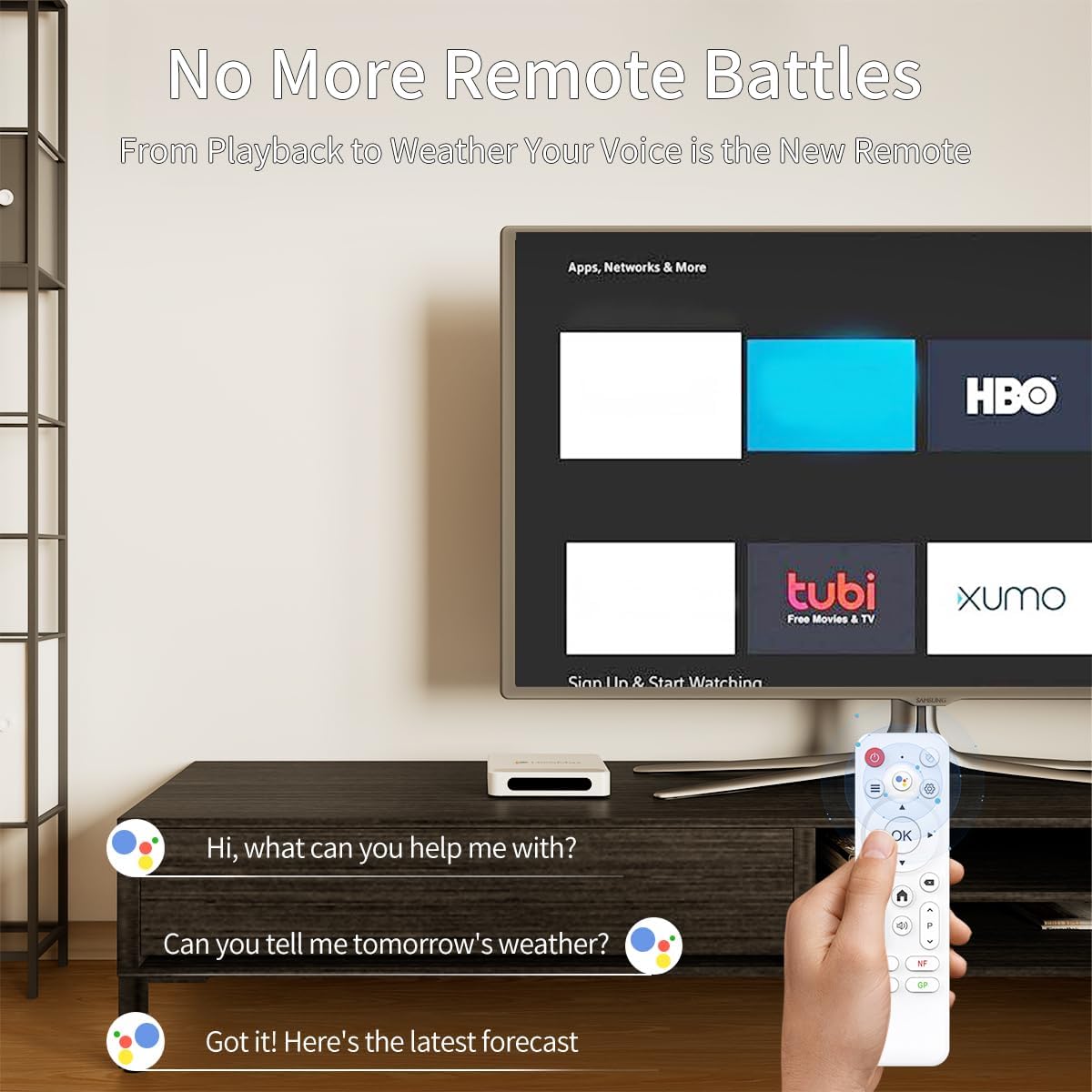
Voice-Controlled Convenience – The included remote with built-in Ggle Assistant support allows hands-free operation of your smart TV box, making it easy to search content, control playback, or manage smart home devices without typing or complex navigation.
Ample Memory Configuration – With 4GB RAM and 32GB ROM, this IP-TV box provides sufficient space for app installations and smooth multitasking between streaming services, games, and productivity applications without performance lag or storage limitations.
Smart Screen Mirroring – Seamlessly cast content from your phone or tablet to the big screen using AirPlay/Miracast technology, while the BT5.4 connectivity supports wireless keyboards and mice, transforming this Android 14 TV box into a versatile home office station.
Comprehensive Port Selection – Featuring 2xUSB 2.0, HD 2.0a, AV output, and DC power port, this TV streaming box offers flexible connectivity options for external storage, peripherals, and legacy devices, ensuring compatibility with various home entertainment setups.
Accessories – The home TV streaming media player comes with everything you need: HD cable, remote control, user manual, power adapter (5V/2A), and premium packaging, providing immediate out-of-box entertainment without additional purchases.
5 reviews for Android 14.0 TV Box 2025, 4GB RAM 32GB ROM, LEFFOT 4K Ultra HD Home TV Streaming Device, Support Voice Remote, 2.4G/5G WiFi 6, BT 5.4, 100M Ethernet, H.265 8K Decoding, H618 Plus Quad-Core A53 CPU


George McConnell –
not for me
I went through the trouble to set up the box, it worked well the first night, but went into a boot loop so I turned it off and it never booted after that! sent it back
Gustavo Botero –
Regular calidad de imagen
La imagen es regular, de baja calidad
John –
Doing good
Awsome-Been doing the job so far.i give it 5 stars as its working all my apps with. No issues
bolas –
Very bad
No good is very bad
steelhme –
Don’t waste your money!
My review is very simple. It’s not even worth one star.