


Keychron K10 HE Rapid Trigger Gaming Keyboard Wireless, Hall Effect Magnetic Switch Hot Swappable, 2.4 GHz/Bluetooth/Wired Adjustable Actuation, Full-Size Custom RGB for Mac Windows Linux
$134.99




Product description

The Keychron K10 HE delivers a full-size layout with wireless connectivity and advanced magnetic switches for rapid trigger. With a classic mechanical feel and RGB shine-through feature, it’s built for both work and play.

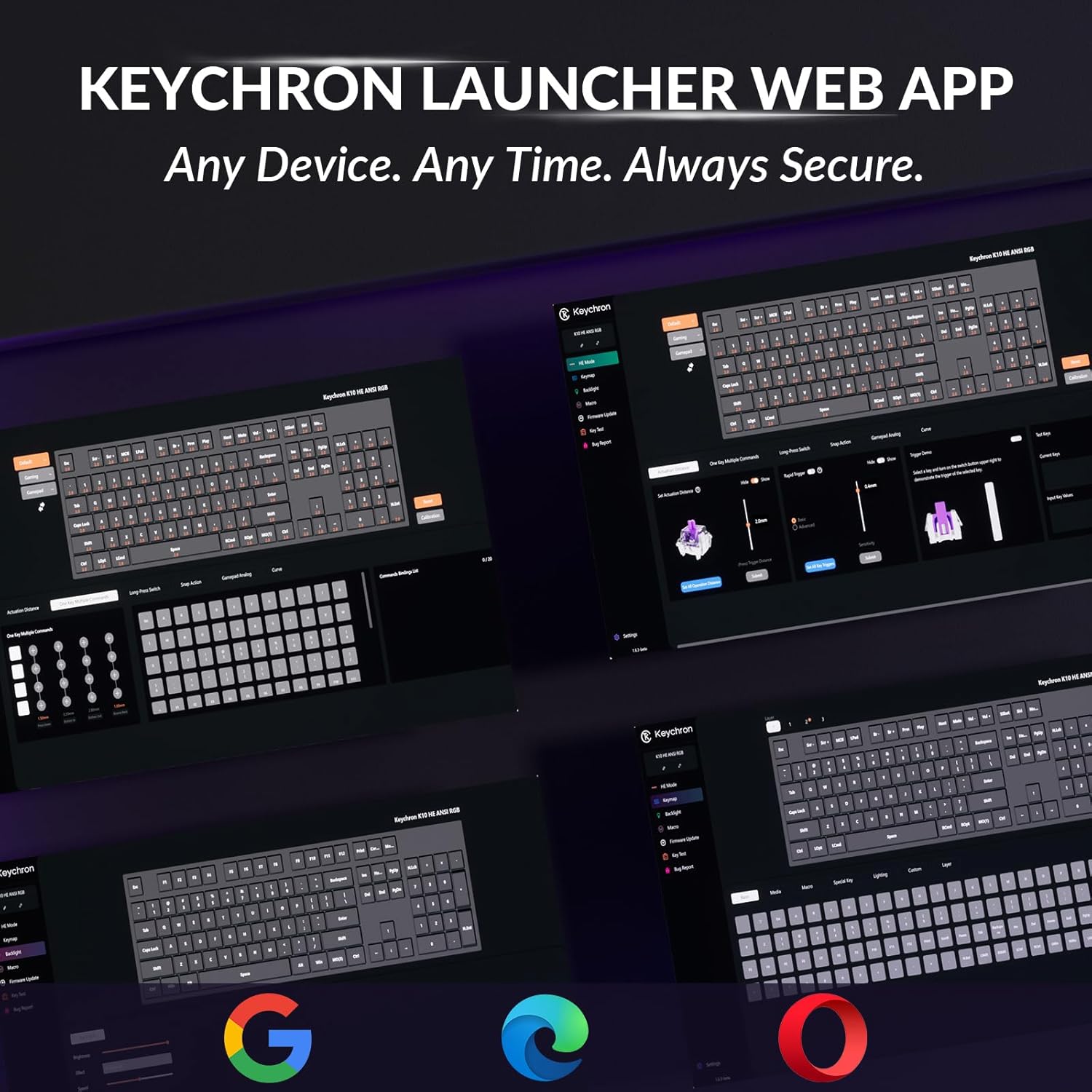
Access Launcher any time to remap keys, create macros, adjust actuation points, and enable rapid trigger or snap action—everything you need to fine-tune your K10 HE keyboard. Please clear your browsing data—cookies and cache—before using Launcher.

Switch easily between Bluetooth 5.2, 2.4 GHz wireless, and Type-C wired modes. Pair up to three devices and enjoy stable, high-speed performance across all your setups.

LKP allows seamless directional changes by prioritizing the last key pressed, ensuring smoother gameplay in titles like Valorant. With Snap Click, deeper keypresses take precedence when two keys are hit at once, automatically resetting shallower presses.
Together, these features make counter-strafing effortless, giving you the accuracy and speed needed for high-level FPS play.
*They are disabled by default, but you can easily enable them in our Launcher web app when needed.

Choose between 22+ backlight modes, and tune the hue, saturation, brightness, and effect speeds right inside the Keychron Launcher web app. Match your style and create an atmosphere that’s uniquely yours.

Specs
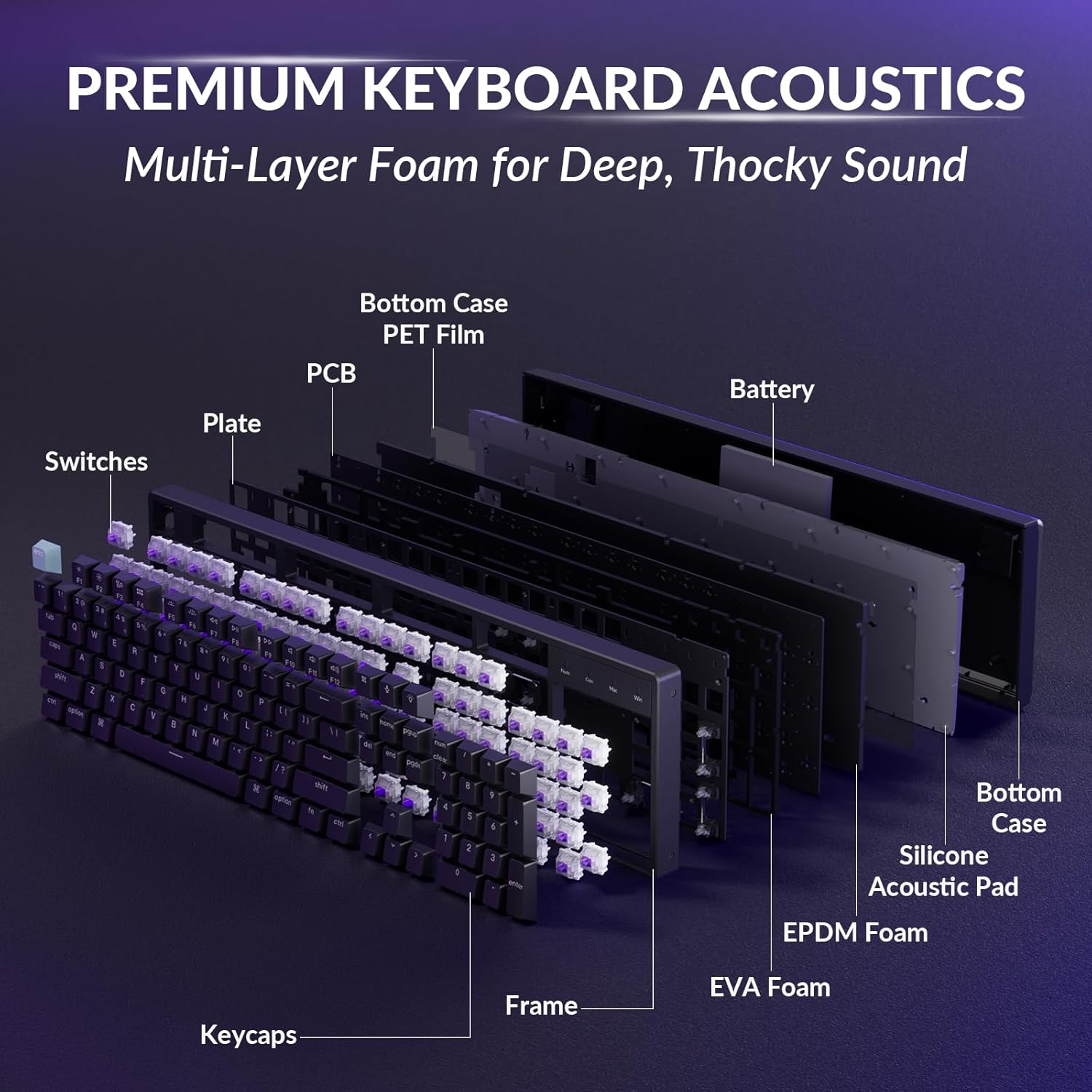
Dimension 440.2mm x 129.2mm (17.33 x 5.09 inches) Weight Approx. 1320 g / 2.91 lbs Frame Material Aluminum Bottom Case Material ABS Plastic Keycaps Cherry Profile Double-shot keycaps, shine-through Stabilizer Plate-Mounted Stabilizer Switch Gateron double-rail magnetic switch Backlight North-facing RGB LED MCU ARM Cortex-M4 32-bit STM32F402 (256KB Flash) Sensitivity 0.1 mm Rapid Trigger Yes Adjustable Actuation Points 0.2 – 3.8 mm Dynamic Keystrokes 4-in-1 action keys Connectivity 2.4 GHz / Bluetooth / Type-C wired Working Time (Backlit off) Up to 120 hours (Lab test results may vary based on actual use) Polling Rate 1000 Hz (Wired and 2.4 GHz) / 125Hz (Bluetooth)
Full-Size Layout, Fully Upgraded – Upgrade your typing and gaming with the Keychron K10 HE. This full-size wireless Hall Effect keyboard combines a classic mechanical feel with magnetic switches for ultra-responsive performance—featuring RGB backlighting and shine-through keycaps in a sleek design
Tri-Mode Connectivity – Switch seamlessly between three connection modes. Pair up to three devices via Bluetooth 5.2, or choose 2.4 GHz wireless or Type-C wired modes for stable, high-speed performance across different setups
Launcher Web Configurator – (Please clear your browsing data—cookies and cache—before using Launcher.) Customize every key, create macros, fine-tune actuation points, and enable rapid trigger and snap action. The Keychron Launcher makes it easy to set up your K10 HE just the way you like it
Hall Effect Magnetic Switches – Hall Effect magnetic switches detect keypresses using magnetic sensors instead of physical contact, reducing wear and tear. Hot-swappable and durable, they offer 0.1mm senstivity with actuation adjustable range from 0.2mm to 3.8mm. They are hot-swap, you can easily replace them without soldering
Cross-System Compatibility – Designed for macOS and Windows with dedicated media keys and extra keycaps, the K10 HE easily adapts to your workflow. Remap it to suit Linux systems as well, making it truly universal
Shine-Through PBT Keycaps & RGB – Double-shot PBT keycaps offer a comfortable typing feel and excellent oil resistance for long-term durability on a full-size layout. The shine-through legends enhance RGB backlight visibility for a more vibrant look
6 reviews for Keychron K10 HE Rapid Trigger Gaming Keyboard Wireless, Hall Effect Magnetic Switch Hot Swappable, 2.4 GHz/Bluetooth/Wired Adjustable Actuation, Full-Size Custom RGB for Mac Windows Linux





Jacqueline –
Amazing keyboard best i’ve used.
So I had initially bought Keychron K10 Pro, and didn’t like that the backlight didn’t shine THROUGH the keys, noticed this one was slightly more(that K10 was 74.99 on discount, this K10 HE was $107 on discount) and after getting this one and trying them back to back, this Keychron K10 HE is so much better and has such a very nice feel and look, even has metal frame! It’s very quiet and the sound that is there is sounds nice and satisfying, not loud and clicky, but a satisfying tap.The RGB settings are really unique and cool and i’m looking forward to customizing my own RGB layout. functions like a full 100% keyboard efficiently. Has a nice heavy weight, you know its good quality. I can tell the difference between the red switches and these purple magnetic and whew they’re nice and fast. it does have Bluetooth connectivity but i’m using it wired.This is the best keyboard I’ve used and I’ve used various keyboard from big brands like Dukky, Corsair, Razer, and Logitech and this Keychron K10 HE Rapid Fire Trigger keyboard is no joke. thank you for reading!
Christopher E. Warnke –
The Hall Effect switches feel super smooth
I’ve been using the Keychron K10 HE for a little while now, and honestly, I’m blown away. The Hall Effect switches feel super smooth, and being able to adjust the actuation point is awesome. I can set it really light for gaming and a bit heavier when I’m just typing, which makes it feel like two keyboards in one.The build quality is top-notch. It’s solid, has some nice weight to it, and the aluminum frame gives it that premium feel. Battery life is also way better than I expected—I don’t have to worry about charging it all the time. Wireless is rock solid too, no lag or random disconnects.The customization is another huge plus. The software makes it really easy to tweak key mappings, set macros, and mess with the RGB. Switching between Mac and Windows layouts is super simple as well, which is a lifesaver if you use both.Overall, it’s just a fantastic keyboard. Comfortable, reliable, and fun to use. If you’re on the fence, I’d definitely recommend it.
dpg –
My forever keyboard. It’s that good. -update battery needs frequent recharging
I love this keyboard. Nuff said. I’m not a gamer. I am a touch typer. I have been using computer keyboards since the early 80s and even before that. I usually just used what came with the computer. I have bought a number of the popular consumer brand keyboards and the last one I got I hated so much that I decided to try the mechanical keyboards.That is a dangerous slippery slope to go down and I tried to avoid the trap of getting a keyboard which was almost good enough and then buying more and more until I’m happy. This is my third Keychron as well as others. Two of my recent purchases ended up not being mechanical and I was very disappointed in them. You can see at least one of my reviews here. I got one which was wired and 80% sized. I didn’t like the wired requirement, and I found that I really missed the number pad. I’m also strangely picky that I want spacing between groups of Function keys.I found that I rest my fingers a little heavy on the keys and with some keyboards I would end up spamming ‘s’ or ‘d’ into my writings, so the HE feature was really appealing to me. With this keyboard I’m able to adjust the trigger depth to any level, either on all keys, or on specific ones.The keys feel amazing, they sound amazing but not too loud at all. It has every feature I want in a keyboard and then a lot more. Yes is it full size so it’s pretty big sitting on my lap which is where it spends most of its useful time. But to me it is worth it for the number pad. The keyboard is surprisingly heavy but not too much so. The quality of parts and build are excellent. Key presses are reliable. The N-Key rollover works great and I no longer experience missing key strokes. As long as my wife continues to tolerate the noise, I am hopeful this will be my forever keyboard.I use this keyboard on a linux computer. I had a few issues with getting the Launcher web page to work. I solved that by 1. using Chrome 2. adding my username to group ‘plugdev’ and finally running the two below commands. Your mileage my vary. I’m still not convinced I’m doing it right, but this did work:sudo chgrp plugdev /dev/hidraw*sudo chmod g+rw /dev/hidraw*I only need to do this when I want to use Launcher. It is not needed for just using the keyboard. I’m very happy with the features that Launcher offers. I also feel that the HE switches should outlast any mechanical contact switches.After a few weeks of use, I have to remove a star because of the battery life. I had no idea I would have to charge the battery after 2 to 3 days of use. It is not terribly inconvenient, but I had been used to wireless keyboards which would go months between battery replacements. 3 days is quite annoying. One thing I can think of which would solve this would be a wireless charging setup where any time I set the keyboard down, it could be charging. Besides that would like to see a battery upgrade option.
Dave –
This product is somewhat flawed but also much appreciated by me because every other hall effect keyboard I’ve tried is too loud and clacky and can only be made acceptable (in some cases) by putting orings under each key. And I have tried plenty of them.I believe it is overall better than a $500 Wooting zinc keyboard that can only be made acceptable to my by putting orings under each key (and double orings under the spacebar) and also has no onboard macro provision. It is also better than its Q6 cousin that is much louder, does not have see-through north facing rgb and costs almost twice as much (but does have the advantage of gasket mounting), which I wish this had, not that it really matters. For some reason I can also type faster and more pleasantly on this keyboard than any other HE keyboard (and I have tried lots).Now the flaws:- Most hall effect keyboards come standard with switches that are around 30 – 50 grams actuation but this one comes standard with Nebula 40 – 60 gram actuation switches, so I had to replace it with the Dawn 30 – 40 gram switches.- Per key rgb colour changes do not appear on the keyboard itself or the virtual keyboard until AFTER they are saved, thus leading to confusion about how to get this feature to work- DKS walk/run on single key does not work properly. The character walks when pressed half-way, then runs when pressed all the way, then goes back to walking when released back half-way again but won’t run gain when pressed all the way down again. The only way to get it to work again is to reset it by completely releasing the key and ceasing movement completely.- I can not get 2.4 GHZ mode to work. In every other device I have used, including keyboards, I just plug it in and it works but I couldn’t not get it to work, despite following their unique instructions about pressing Fn key and number 4 simultaneously.- I could not get Bluetooth to work either- The cable was too short to reach my pc for my standup desk. Solved by buying a longer cable, but once again, not had this as an issue with the numerous other keyboards I have tried.- The process for updating firmware is extremely convoluted and difficult, but luckily mine was already updated to allow per key rgb lighting.- You can’t have proper individual profiles in the usual sense because per key rgb, key reassignments and macros are all global settings (although you can have an additional plain colour rgb profile, such as all white for typing/default profile). This appears to be a limitation with the VIA system but it would be great if these settings could all be exported and imported. For example, if I want to re-map certain keys for a game, I have to manually re-map all of them back to the usual keys every time I want to go from gaming to typing, which is clearly impractical. Likewise, I can’t have two per key different per key rgb game profiles if I want to play two different games at various times. It would be even better if they could create some way of importing and exporting all these settings into a single profile so that it simulates genuine profiles. I think that would be possible.- It does not have mod tap.Despite all these faults, I can’t emphasize enough how much I appreciate that an HE keyboard actually exists that is not too loud without having to modify it with orings. The software is easy to use and it is a joy to type on. Even thought it is not gasket mounted the bottom out is not too hard and even seems to have some minor cushioning. And if you want it to be even quieter you can add orings to it if you like (I have tried and this further reduces the typing volume but it feels much better without the orings in my opinion). I just put orings on the spacebar to quieten it a bit.It does pretty much everything:- Editable macros (up to 15)- Per key rgb- SOCD- Toggle spamming keys on and off (but not mouse clicks)- Rapid trigger- Actuation adjustment- Controller emulation (I couldn’t get it to work when I tried and don’t see much point, might as well just use a steering wheel or controller).
Eternal –
Feels very good in the tactile department. I love the weight of the frame and the ability to change the colors of the LEDs lets met customize it very well.All around it feels like a very great piece of equipment.
John A –
Item is not as expected and poor customer service.