


WiFi IR Blaster, Remote Control Hub for Home Automation, Infrared Universal Remote for TV AC AUD STB, Compatible With Alexa & Google Assistant
$16.99




Product description



Add to Cart
Add to Cart
Add to Cart
Add to Cart
Add to Cart
Customer Reviews
4.2 out of 5 stars 70
4.2 out of 5 stars 70
2.8 out of 5 stars 21
3.6 out of 5 stars 40
3.6 out of 5 stars 40
Price
$16.99$16.99 $17.99$17.99 $29.99$29.99 $28.99$28.99 $27.99$27.99
Model
UFO-R6 UFO-R1 RF-R1 UFO-R11 UFO-R4Z
Function
Control IR appliances Control IR appliances Control IR RF appliances Control IR appliances Control IR appliances
Connecting Technology
WiFi,Infrared WiFi,Infrared WiFi,Infrared,RFID Zigbee,Infrared Zigbee,Infrared
Distribution Network Protocol
WiFi WiFi,Bluetooth WiFi WiFi WiFi
Power Supply Method
USB cable USB cable USB cable batteries USB cable
Voice Control
✓
✓
Paired IR devices √, but paired RF devices ×.
✓
✓
App Remote Control
✓
✓
✓
✓
✓
Need Zigbee Wired Gateway?
No No No yes yes
[NOTE] Wifi protocol, supports IFTTT. Jinvocloud smart universal remote controller come with a USB 2.0 cable (NOT USB-C cable), Only supports 2.4G Wifi connection. One single room recommend one unit to connect the infrared household device, as infrared can not break through the wall.
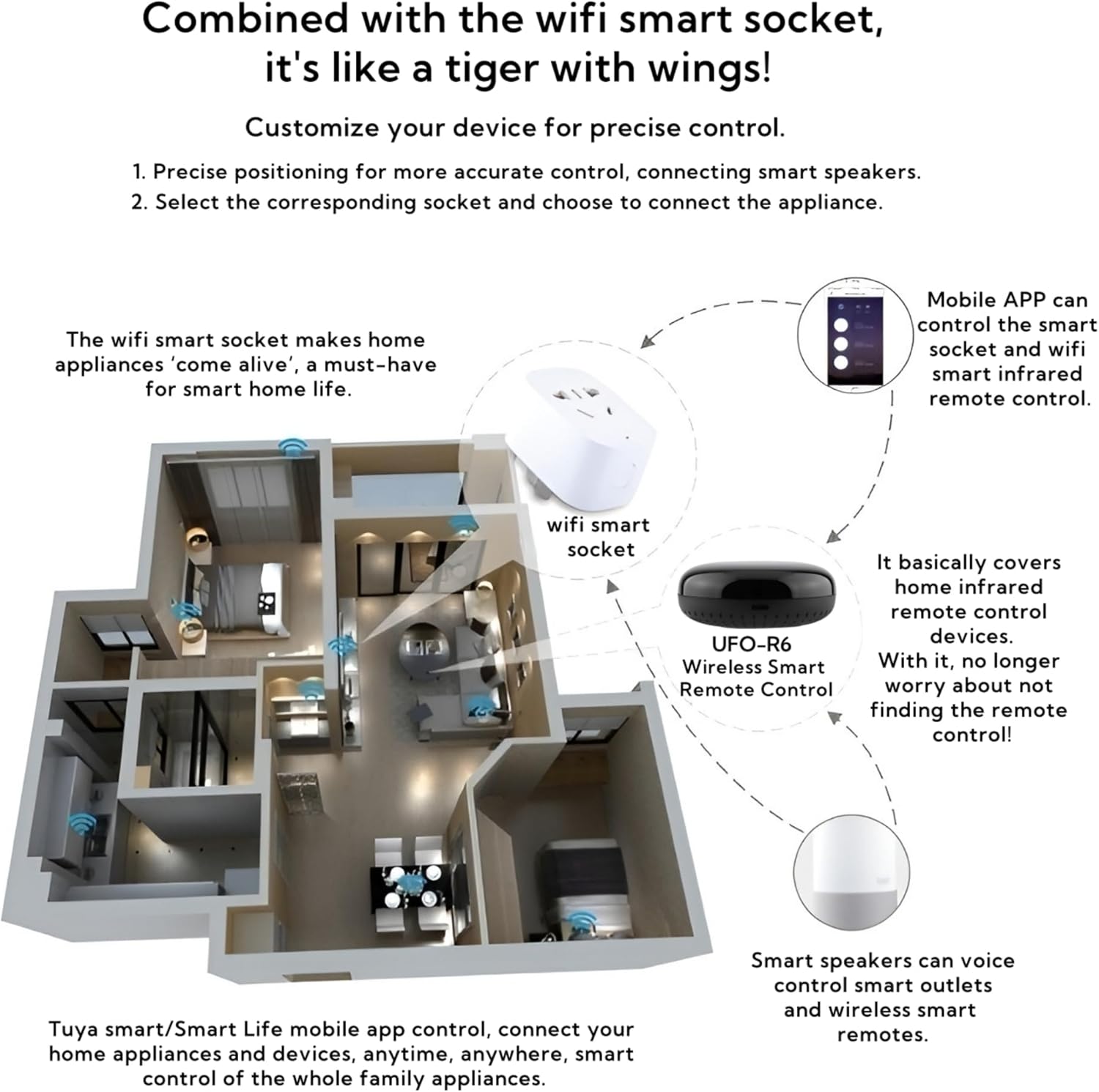
[All-in One Control] Commit to activate Air conditioners, TV, fan, Projector, DVD, STB and etc, could connect all infrared household electrical aplicances, with it, more and more troubles of ordinary remote controllers can be easily solved. And the life controlled by improved smart home appliances will be more convenient. Only support IR (38KHZ), RF not included. 360° all-round signal coverage without dead angle.
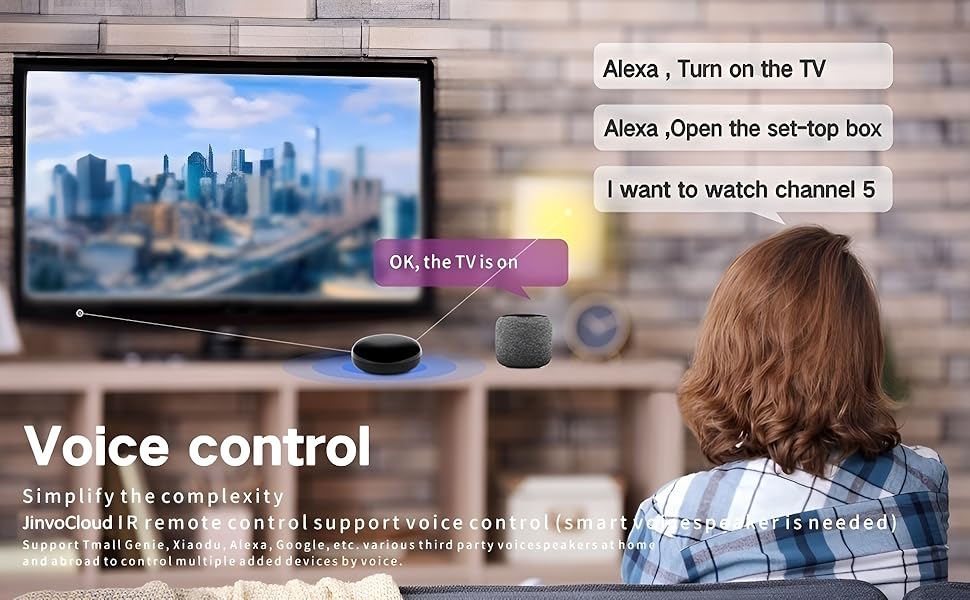
[Voice Control & Third-party Devices] ‘Alexa,turn on/off TV’. It could be activated by a voice. Supports variety smart speakers, extensible support for Alexa, Google, Tmall Genie, Small degree, Ruoqi, Small wisdom butler and other smart speakers, to remotely control most infrared control devices. (Furthermore compatible brand or device, please check attached list or Smart Life APP.)
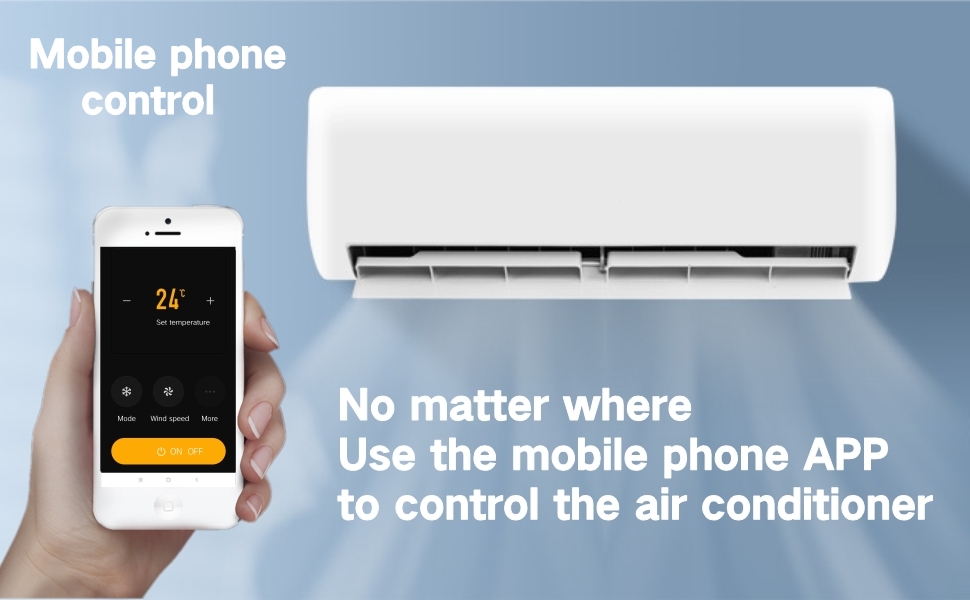
[Remote Control of Mobile APP] If there is no smart speaker, or the matching infrared device is not in our code base, it was originally DIY. The smart Tuya APP can remotely send instructions to our universal remote controller to control the electrical situation at home at any time.
[Device Sharing] One key distribution network, multiple users can share devices and control the same device at the same time. Of course, one user can control multiple devices.
[‘DIY’ Custom Learning Matching Function] Even infrared appliances of unknown brands can be customized by DIY and easily matched.
8 reviews for WiFi IR Blaster, Remote Control Hub for Home Automation, Infrared Universal Remote for TV AC AUD STB, Compatible With Alexa & Google Assistant




Jim Linton –
Works with Alexa voice commands. Great for quadriplegics
Works great with Alexa voice commands through a Bluetooth connection. Set up was a little confusing at first, but I was able to find the volume and channel controls already pre setup for my TV. I like that you can teach the blaster to function like your remote, but I haven’t done it yet. The controls I found work for my channels, volume and power but I would eventually like to teach it to control the mute and other buttons on my remote. I was also able to program the blaster to control my surround sound. I found out that it won’t control my dish TV box because that has a uhf signal. This only controls devices with an IR signal
CityDead –
Game changer!
Did what I needed it to do. Replace/copy/backup/smartify these cheap led remotes that basically can’t be replaced if lost. If I knew the brand name of these lights I could probably find it in the database of codes to program. I just did it myself on do it yourself mode. Wifi everything now. For you for me for everybody.
Shailesh Kalloe –
Great Little Smart Home Gadget – Makes Old Devices Feel New Again
I bought the WiFi IR Blaster to control my older non-smart AC unit through voice commands with Alexa — and honestly, it’s been a game-changer. It’s like giving my old electronics a smart home upgrade without replacing them.What I Liked:✔️ Easy Setup : The setup was surprisingly simple. Download the app, connect it to Wi-Fi, and add your devices using the built-in IR codes or by teaching it your original remotes. Took me about 15 minutes total.✔️ Works Seamlessly With Alexa & Google Assistant : I can now say “Alexa, turn on the AC” or “Hey Google, turn on the AC,” and it works perfectly. This little hub has become a central part of my smart home system.✔️ Reliable Performance : Once set up, it responds quickly to both voice commands and app controls. No lag when switching inputs or changing channels — which I was worried about at first.✔️ Supports Multiple IR Devices : I’ve added my TV, soundbar, and cable box all into one system. Being able to create scenes like “Movie Night” that power everything on at once is super convenient.✔️ Compact & Unobtrusive Design : It doesn’t take up much space and blends in well with my entertainment center.What Could Be Improved:⚠️ App Interface Feels a Bit Basic : The companion app works fine, but it’s not as polished or intuitive as some other smart home apps I use. A few UI improvements would go a long way.⚠️ IR Range Is Decent But Not Amazing : You do need to place it within line-of-sight range of your devices, and sometimes I had to adjust its position to ensure reliable signal transmission.⚠️ No Built-In Zigbee or Z-Wave Support : If you’re building a more advanced smart home ecosystem, this device only connects via Wi-Fi and IR — so it won’t integrate with other protocols.Final Thoughts:The WiFi IR Blaster is a fantastic tool for anyone who wants to bring their older infrared-controlled devices into the smart home era. Whether you’re looking to control your AC from work or switch on your TV without digging for the remote, this device delivers solid performance for the price.Would I recommend it? Definitely — especially if you want to unify your home entertainment and climate systems under voice control without spending hundreds.My Thoughts on the Product:The WiFi IR Blaster is an affordable and effective bridge between traditional IR-based electronics and modern smart home ecosystems. It may not have all the bells and whistles of high-end hubs, but for what it does — turning dumb devices into smart ones — it performs admirably.It’s ideal for:People with older TVs, AC units, or cable boxesSmart home beginners wanting to expand their system affordablyVoice assistant users who want full command over their living roomIf you’re looking to simplify your tech stack and reduce clutter from multiple remotes, this little device is well worth the investment.
Juan Sánchez –
Buen material
Bueno
Craig A. –
Could not get it to work
Could not get this IR to work with my Sony or Alexa.
Shaun –
Remote control your ACs and TVs
These work well. Control my TV AC and other devices remotely.
Licano –
Práctico
La solución a problemas frecuentes
Alex –
Sweet smart home addition
I really like the design of this smart IR device. It’s continually smooth around the outside and is just a really clean look, and the chord is pretty slick by plugging into the base out of sight below the device.It’s pretty easy to connect this to the Smart Life app (I just had to power it on and it recognized it as nearby immediately), and from there if you follow the steps posted online you can also get it connected to home assistant, which is my hub of choice. I didn’t find any of my IR devices in the list of available manufacturers/products, but you’re able to add any signals from your remotes by using custom modes and easily set them up by pointing your remote at the device, hitting buttons, and it detects the signals immediately.