
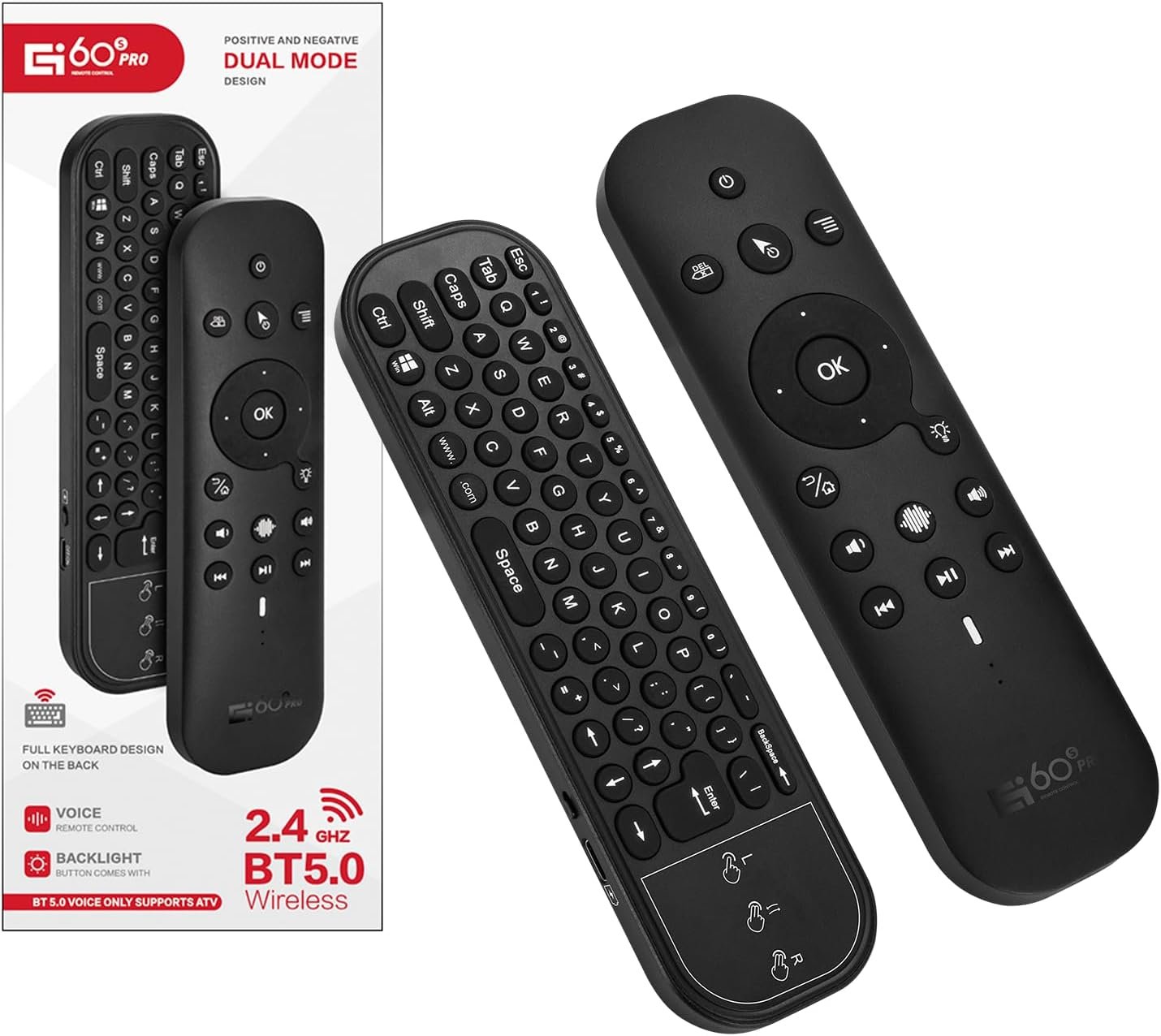


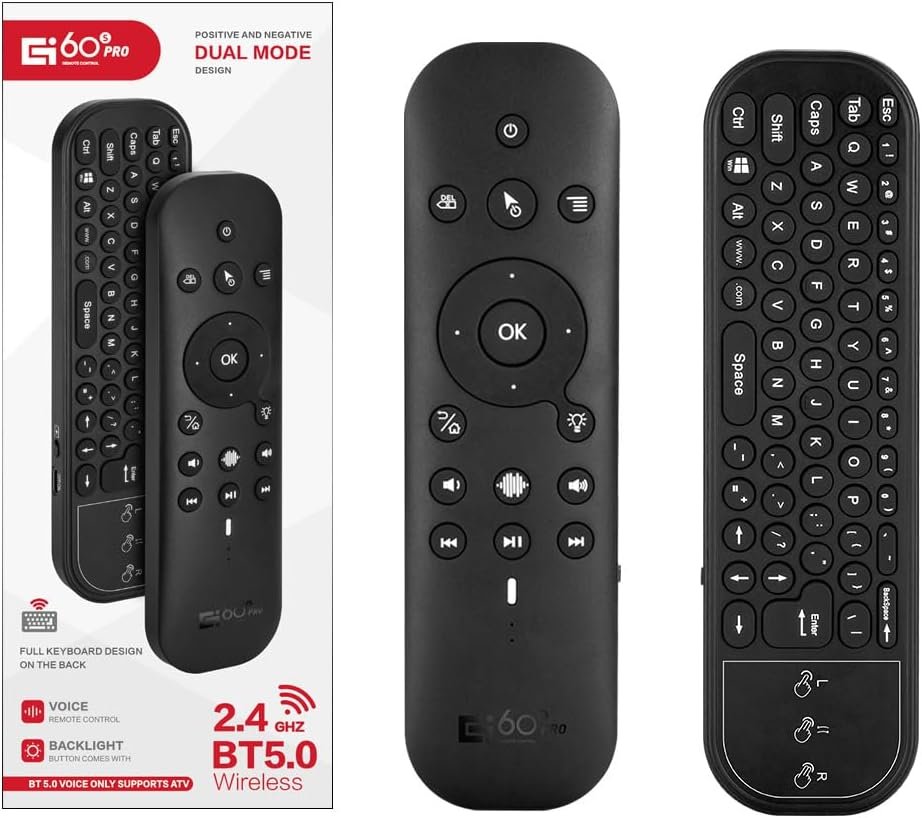
GREVA Bluetooth Voice Remote with Keyboard, Air Mouse Remote Control Backlit Rechargeable, 2.4G WiFi/BT5.0 IR Learning, Mini Keyboard Remote for Nvidia Shield PC Projector Android TV Box HTPC G60S Pro
$30.99


Product description

G60S Remote Control Air Mouse Support TV Box, Projector, TV, MobilePhone, Mini PC, Rablet Computer, Desktop Computer, etc.
But it can’t compatible for Amazon Fire TV and Fire TV Stick, or some Samsung, LG, Sony, Mi smart TV and Mi TV Box.


[Intelligent Voice Remote Control] The universal remote control has a built-in voice microphone. Press and hold the voice button on the bluetooth tv remote control and enter text by voice to search for the desired channel. Wireless bluetooth remote control only works for the built-in voice input search box or apps. Please note that the Voice Search Function doesn’t work like Alexa Voice Remote, it can’t across app
[Bluetooth and Wireless Connection] Wireless Bluetooth TV Remote with Keyboard / Universal Remote Control Touchpad can connect to smart devices via a 2.4G wireless connection or via Bluetooth 5.0. Note: Please check whether the device is compatible with the smart remote control ir and bluetooth before use. The maximum connection distance is 10m
[Multifunctional Remote Control Backlight] Thanks to the integrated 6-axis gyroscope, the Air mouse remote control can detect changes in direction and speed, so you can move directly in the air to control it. The backlight makes the smart ir remote control with IR learning button easy to operate at night. The 2-button infrared learning function can replace your old infrared remote control
[Classic Double-Sided Full Keyboard Compatibility] Air Mouse with Keybroad for PC, Air Mouse Remote Mini Keyboard for Smart TV, Mini Wireless Keyboard with Touch Pad Mouse for Android TV Box, Streaming Media Player, Mini PC, HTPC. Supported systems: Linux, Android 2.x, Android 4.x, Win 2000, Win Vista, Win7 32, Win7 64, Win8 32, Win8 64, MAC OS X. (In Bluetooth mode, PC Remote Control with Keyboard and Mouse Function cannot be used with Windows computers. It can only be used in 2.4G mode)
[Infrared Function to Turn on the Device] 2.4G USB remote control will not connect to a device that is turned off. Bluetooth and infrared remote control with IR learning buttons. Infrared learning remote control: It can learn and copy the button values of the infrared remote control to control the power on and off. Please operate as instructed
[Customer Service] Please do not hesitate to contact us if you are not satisfied with our wireless bluetooth media remote control universal. Your good shopping experience is our goal. (Smart Remote Control Universal with Keyboard and Mouse Function,Replacement IR Remote Control )
NOTE: 1) Incompatible Devices: L-G, SAM-S-UNG televisions. 2)Please charge before use. A 4.2V 300AM charger is recommended. 3)Maximum Bluetooth operating distance: 8-10m. 4)If Bluetooth fails to wake the TV, it is recommended to use the infrared learning function to ensure the power button is working properly.
8 reviews for GREVA Bluetooth Voice Remote with Keyboard, Air Mouse Remote Control Backlit Rechargeable, 2.4G WiFi/BT5.0 IR Learning, Mini Keyboard Remote for Nvidia Shield PC Projector Android TV Box HTPC G60S Pro




Amazon Customer –
Great build quality and consistent.
Great controller for my Mini PC connected to my TV for media server. Power button did not learn the LG smart TV remote but I did not expect it to. Power button does put MiniPC to sleep and wakes it.The air mouse function is a bit finicky but that may be due to use in bed. Fine control is a bit hard. General use us and large button access is easy and quick.Remote is built well and does not feel cheap in the hand. I was not able to get the “OK” button to work in Kodi but that is more likely a user issue.Battery life so far is great. Auto power off helps.
Tim –
Great remote.
This thing is great for chilling in bed and operating a media pc. I particularly like that you can turn the air mouse on and off via a button. Not sure how long the battery life is but I haven’t ever charged it, just used it straight out of the box. Ive had it for about a month connected via Bluetooth. I shut it off when im not using it via the switch on the side…it connects quick enough that it will work by the time you point it at the TV. 1 star removed because the OK button doesnt work if the mouse is off and the remote could do without the touchpad, its useless and just makes the keyboard harder to reach comfortably.
Aman Verma –
Ok button doesn’t work do not order
OK button does not work on Samsung Smart TV or my Android BoxWas really hoping this to be my be-all remote it’s got a great design but the OK button not working means this is a non-starterIt’s mapped to something that most devices don’t pickup rather than a simple enter or ok keypresssVery disappointed I hope they fix this design fault in a later model
bric78 –
It’s a pretty self explanatory device. I found it mostly easy to use before reading instructions.
Awesome tech. Takes a little getting used to at first, but very easy to use when you get the hang of it. Sitting at a computer too much kills my back. Now I can move my feet around a little while still getting office work done.
Dustin Clark –
Works well once you remap okay key
Simply giving three stars because the enter button does not work as expected on Windows. You need to run a button remapper to get the okay button to work correctly.
Robert Timsah –
Love It
I often have a TV connected to my Windows 11 PC running a small Jellyfin/Plex media server. This highly functional remote control connected seamlessly via wireless USB to my Windows 11 PC without any problems. The keys are backlit and the keyboard & touchpad come in very handy. The touchpad can swipe to scroll, aiding in navigation. The air-mouse feature is an added bonus, but depending on PC location may not be as precise as the tiny touchpad. I also like that it charges instead of having to mess with batteries.
PrimeBuyer –
Works for Car Boxes!
If you bought the Car box 4.0 and need to control it without a touch screen so you can attach it to your home tv this is what you need! It works. Only thing I wish this had was a replaceable battery instead of the built in. I prefer that in all remotes because it will probably last forever whereas a USB charged battery will definitely not.For what I need it for it does the job. I just need to remember to charge it every other month.
devon –
“ok” button doesn’t do anything out of mouse mode
all the buttons work except the mos important one the ok. it works in mouse mode but when its off it dose nothing so its kinda usless for me since i wanted to use it for a media pc. idk if its a linux thing or not it may work on windows. i looked at other reviews it seems I’m not the only one with problems with the ok button.